Guide to SMART Goals
Last updated: October 16, 2026
We are excited to introduce SMART Goals!
Achieving your health goals is easier when they follow the SMART Goal framework. SMART stands for Specific, Measurable, Achievable, Relevant, and Time-bound. Allie is here to guide you through this process and help you stay on track every day.
This article will describe how to set up your goals and track them all within the Allie app.
Getting Started: Create Your Goal
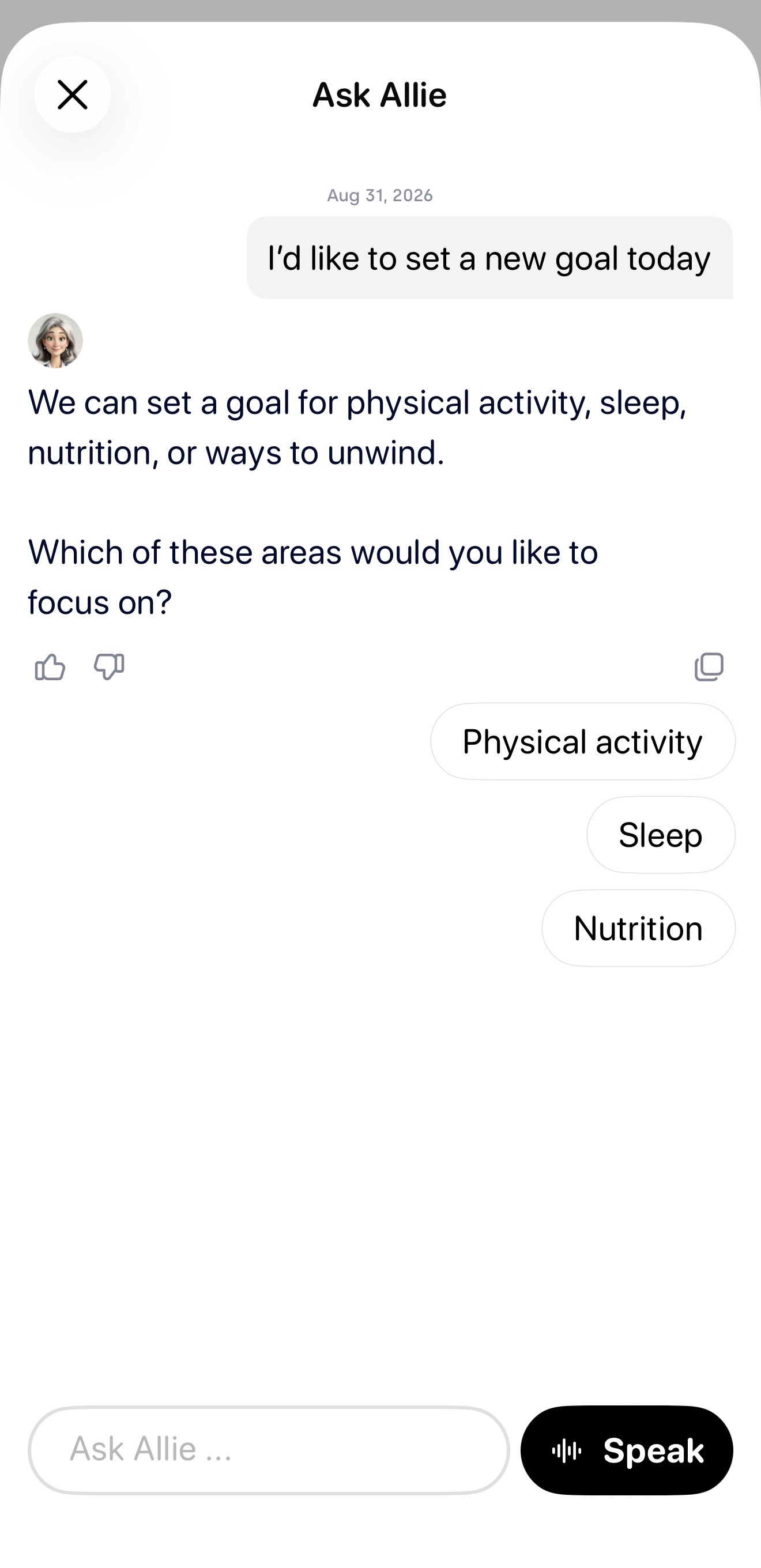
We've set up Ask Allie to be the most convenient place to create your goal. Simply start a conversation with Allie ("I'd like to set a new goal today") and she will walk you through the steps to create a goal that is Specific, Measurable, Achievable, Relevant, and Time-bound. Allie will ask you a short set of questions about your goal and all you have to do is answer her questions.
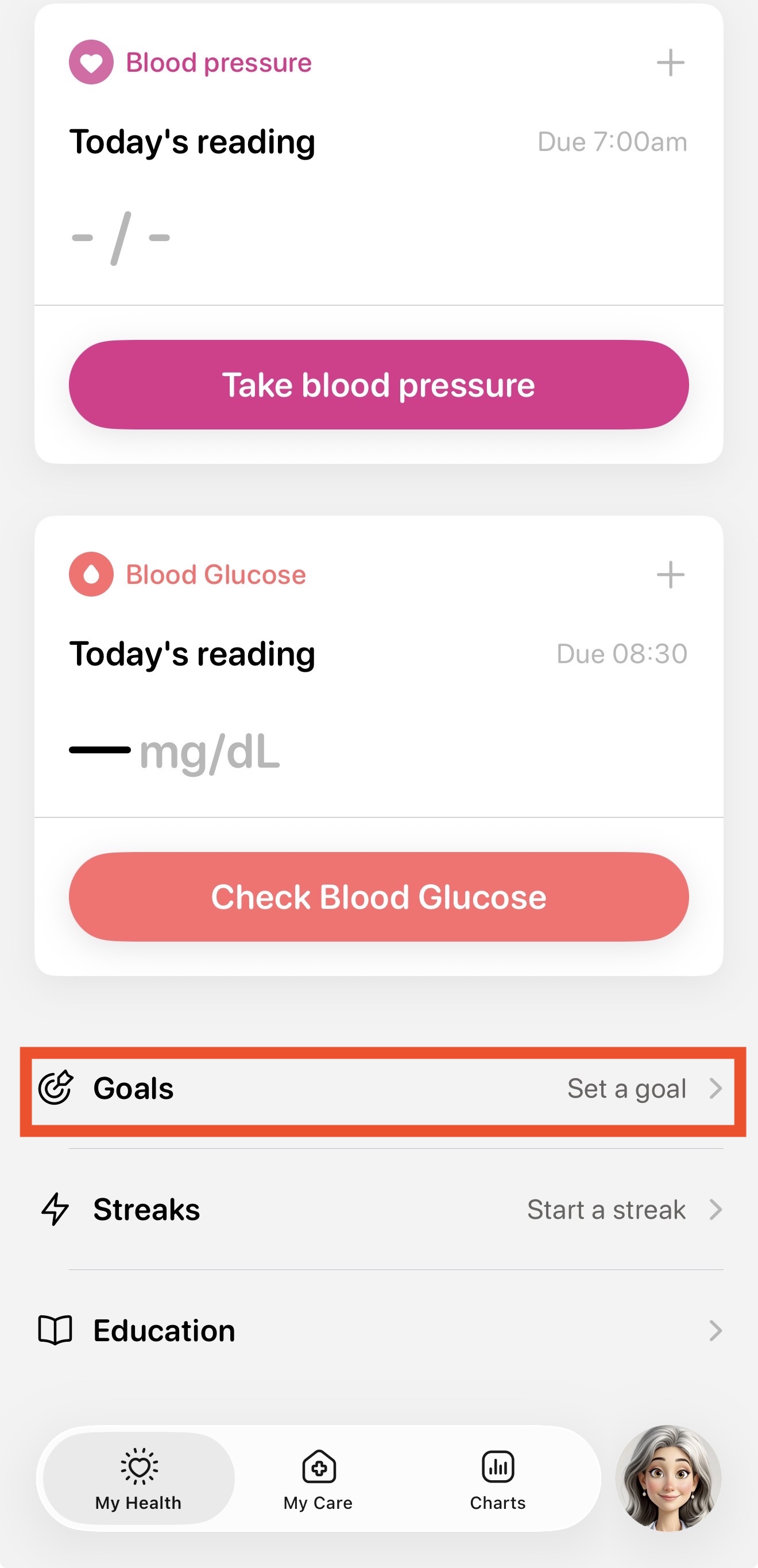
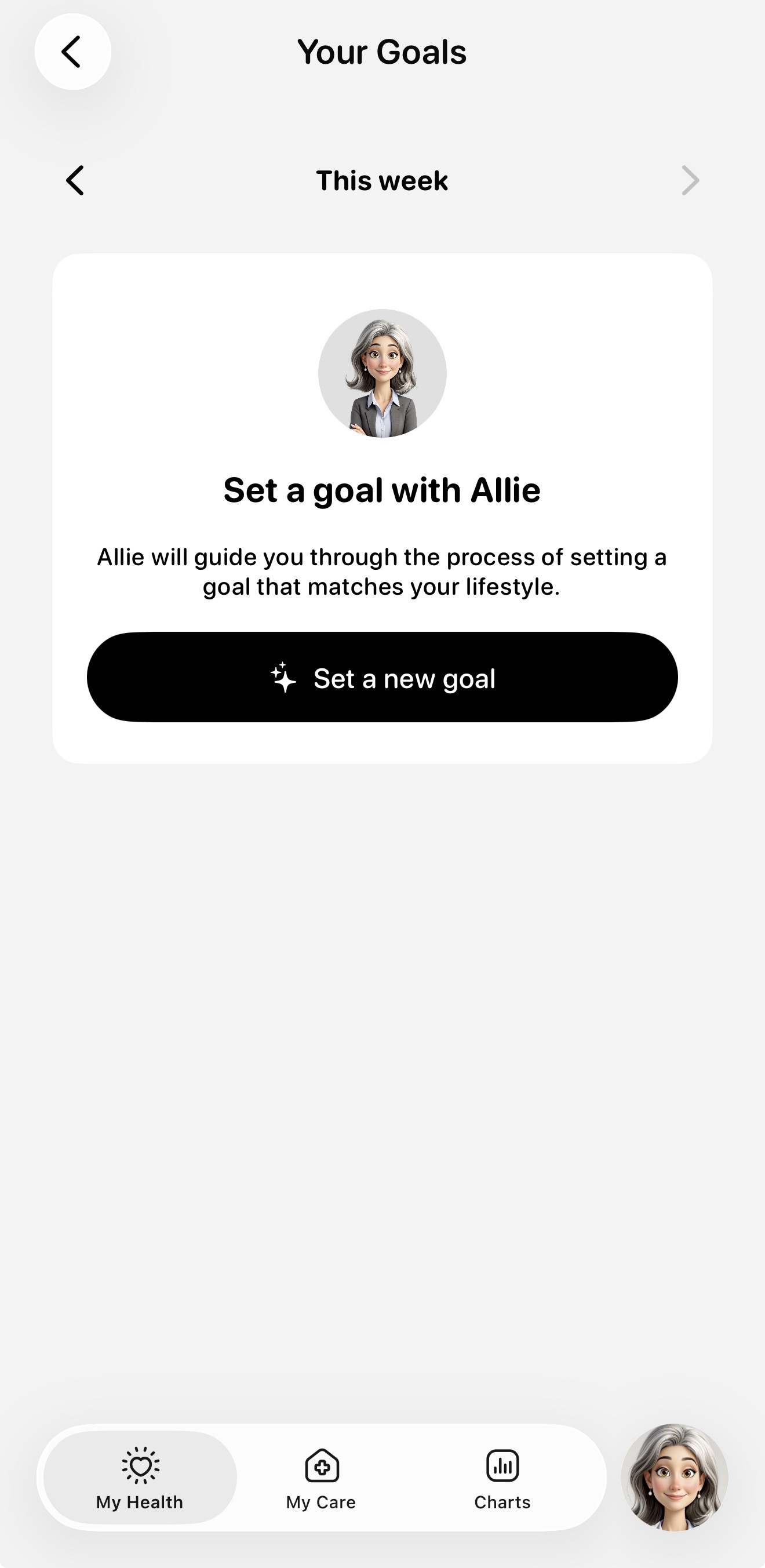
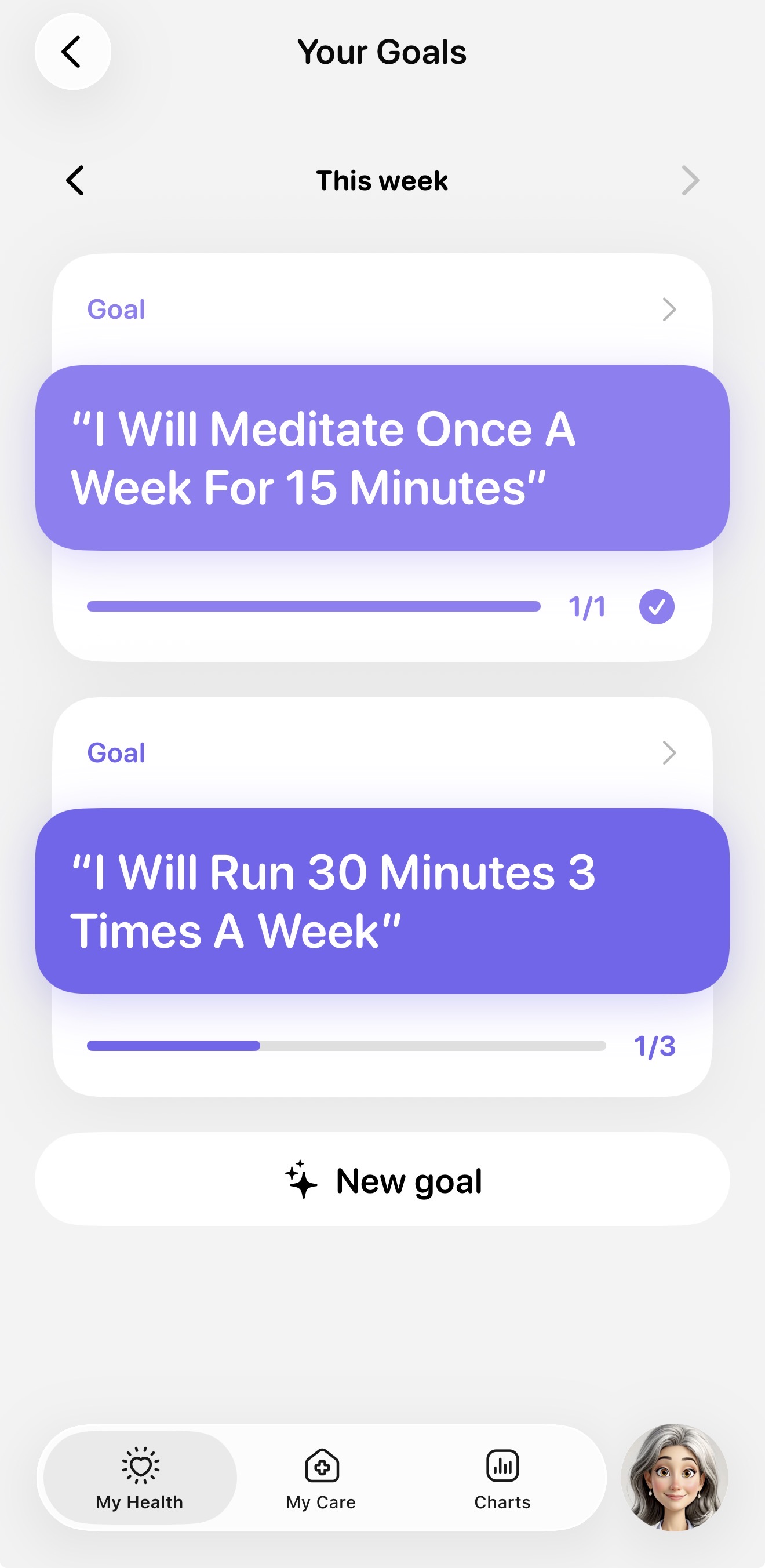
You can also navigate to the My Health tab, scroll down to the bottom, and select the Goals section. Here you can view all your current goals or if you have none you can tap "Set a new goal" to create a goal with Ask Allie.
Once you and Allie have finalized the details, your new goal will appear at the bottom of the My Health tab under the Goals section.
Tracking Your Progress
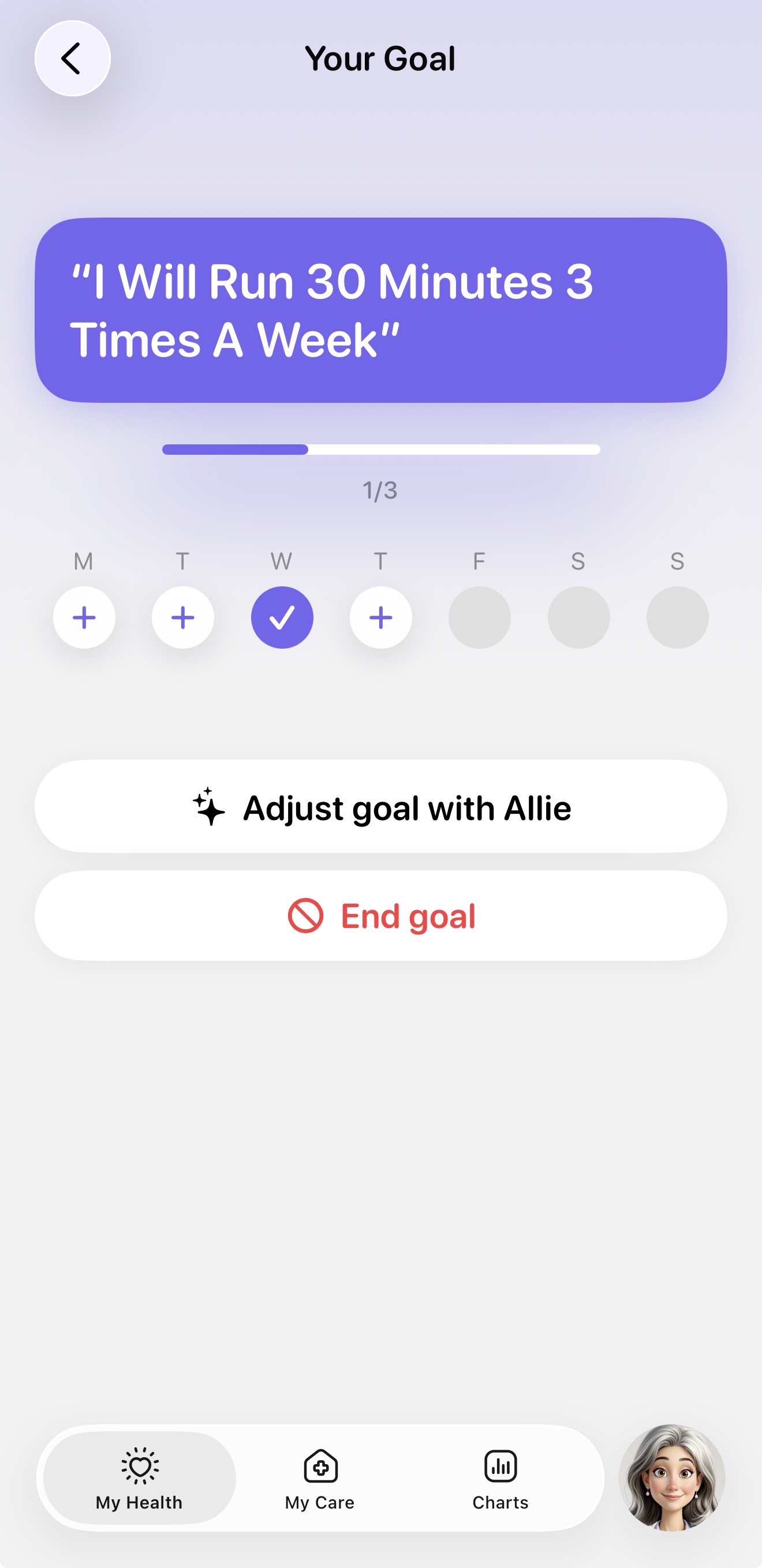
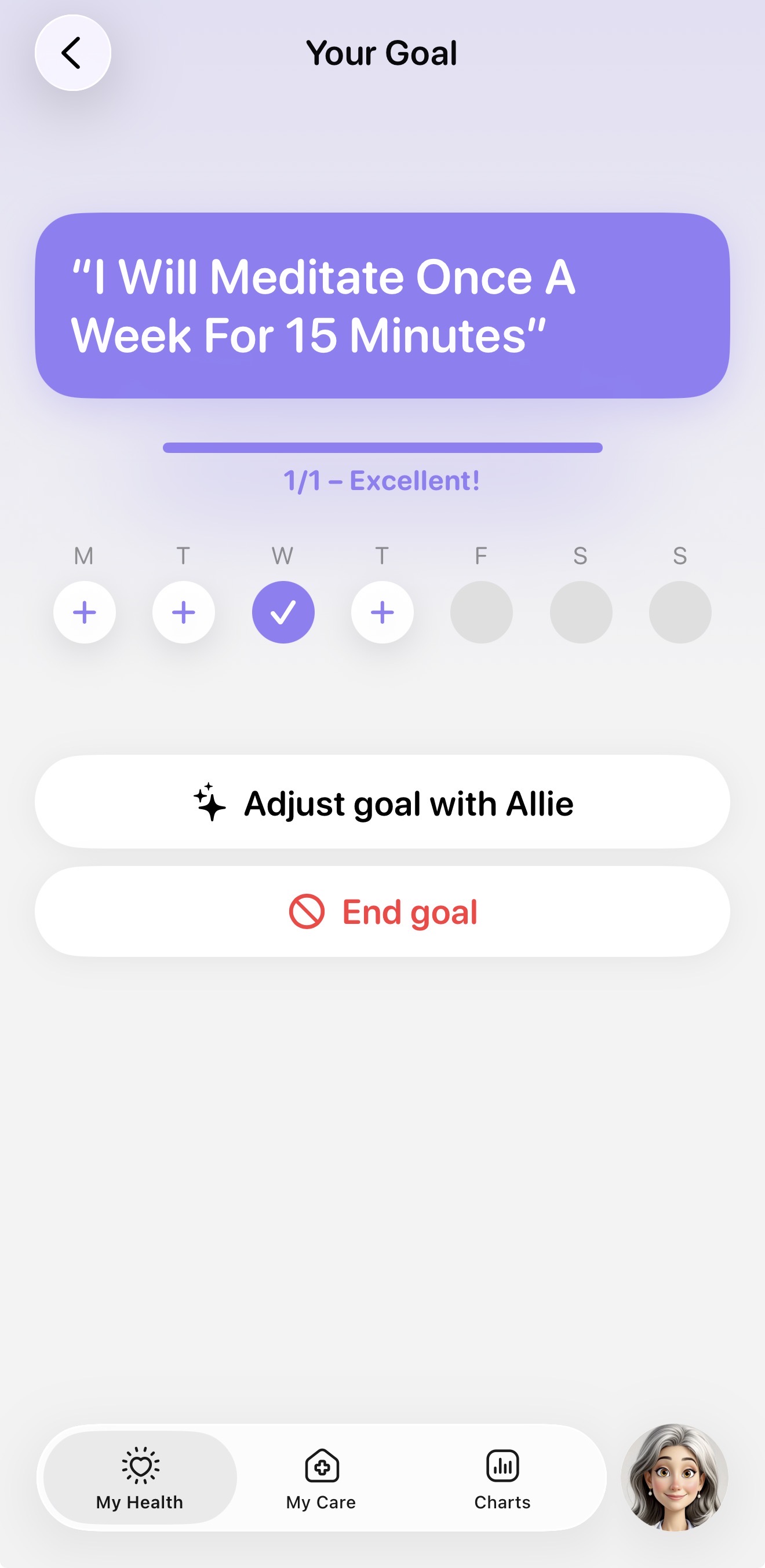
At the bottom of your My Health tab in the Goals section, you’ll find all your current goals for the week and indicators showing whether or not you completed each goal that day.
One Week at a Time: SMART goals in Allie occur on a week to week basis with the beginning of a goal week on Monday and the end on the following Sunday. If you happen to start a goal in the middle of a week, don't worry about meeting your goal immediately. Treat that first week as a way to start building your new habit.
Marking the Goal Done for the Day: Tap the (+) to open a modal dialog and mark the goal complete for that day. The modal dialog allows you to add a note about that day's goal which can be seen by your Codex Care Team. Marking your goal complete changes the (+) icon to a checkmark.
Skipping a Day: If you can’t get to your goal, you can select "Skip for Today." This removes the task from your daily task list and marks the day with a neutral indicator on your weekly card.
Completing the Weekly Goal: If you achieve your goal for the week, the goal card's status will change to show the goal was reached and celebrate your win. Great job!
Reviewing Your Goal
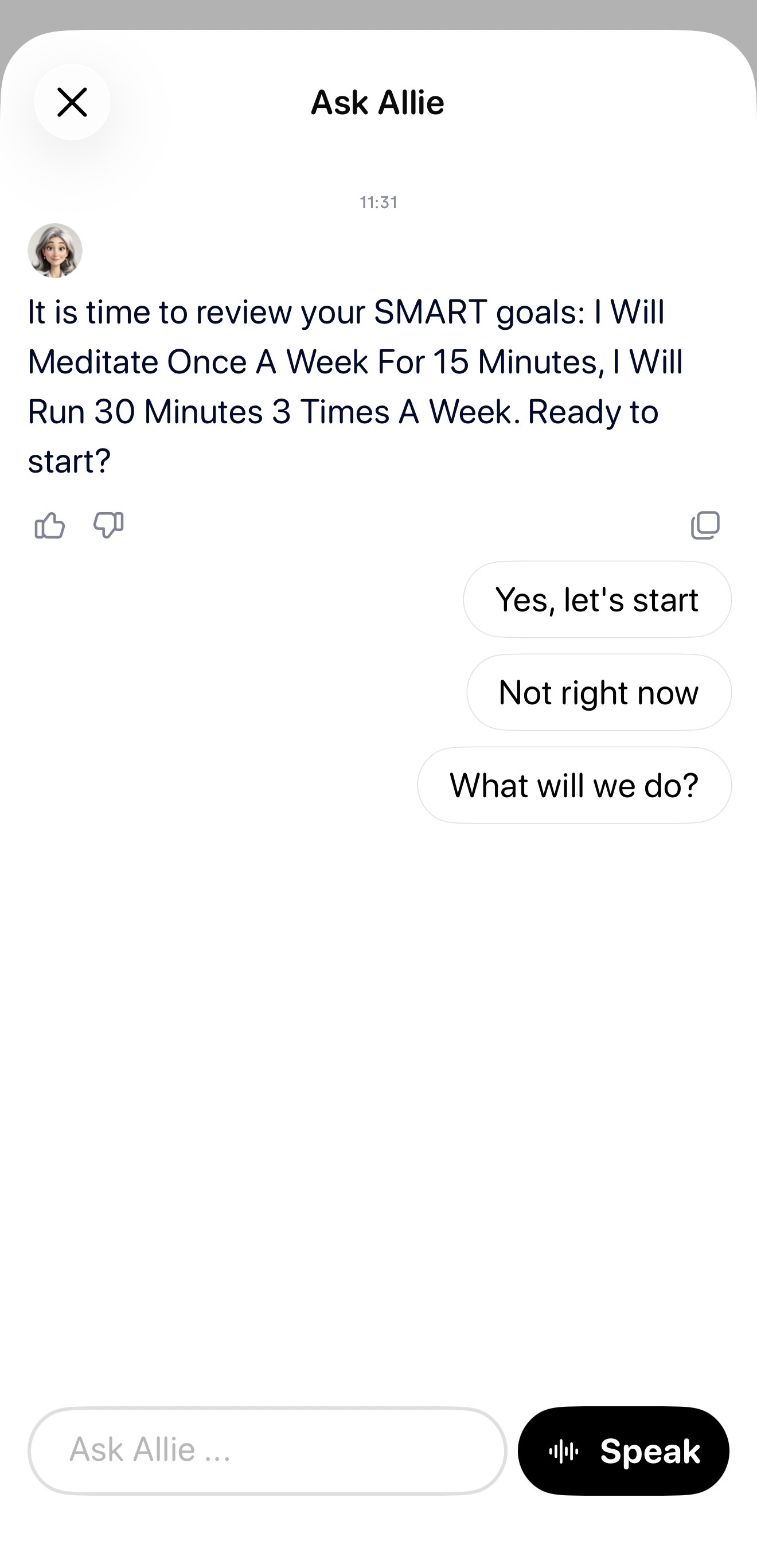
Every Monday, Allie will prompt you to review your goal for the week to see how it went. You can decide if you want to keep the same goal, make it harder, make it easier, or try something new for the coming week. The flexible nature of our SMART goals allows you to personalize them to what you feel is realistic to achieve.
Need more help? If you have trouble setting your goal or don't see the SMART Goals card, ensure your app is updated to the latest version and/or contact our support team.
Contact Support with Allie
We recommend using the Allie app if you need assistance or have questions by following the steps below.
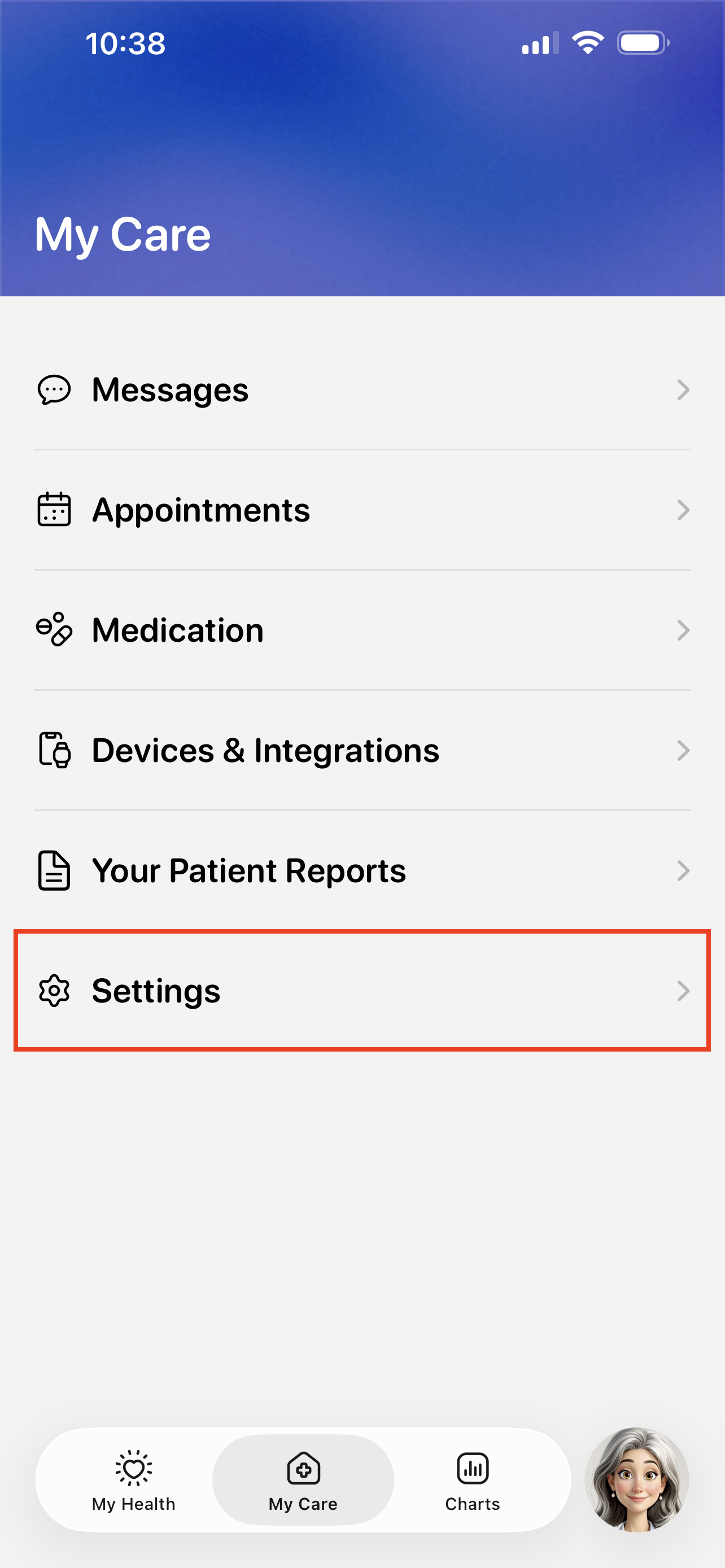
Visit the My Care > Settings.
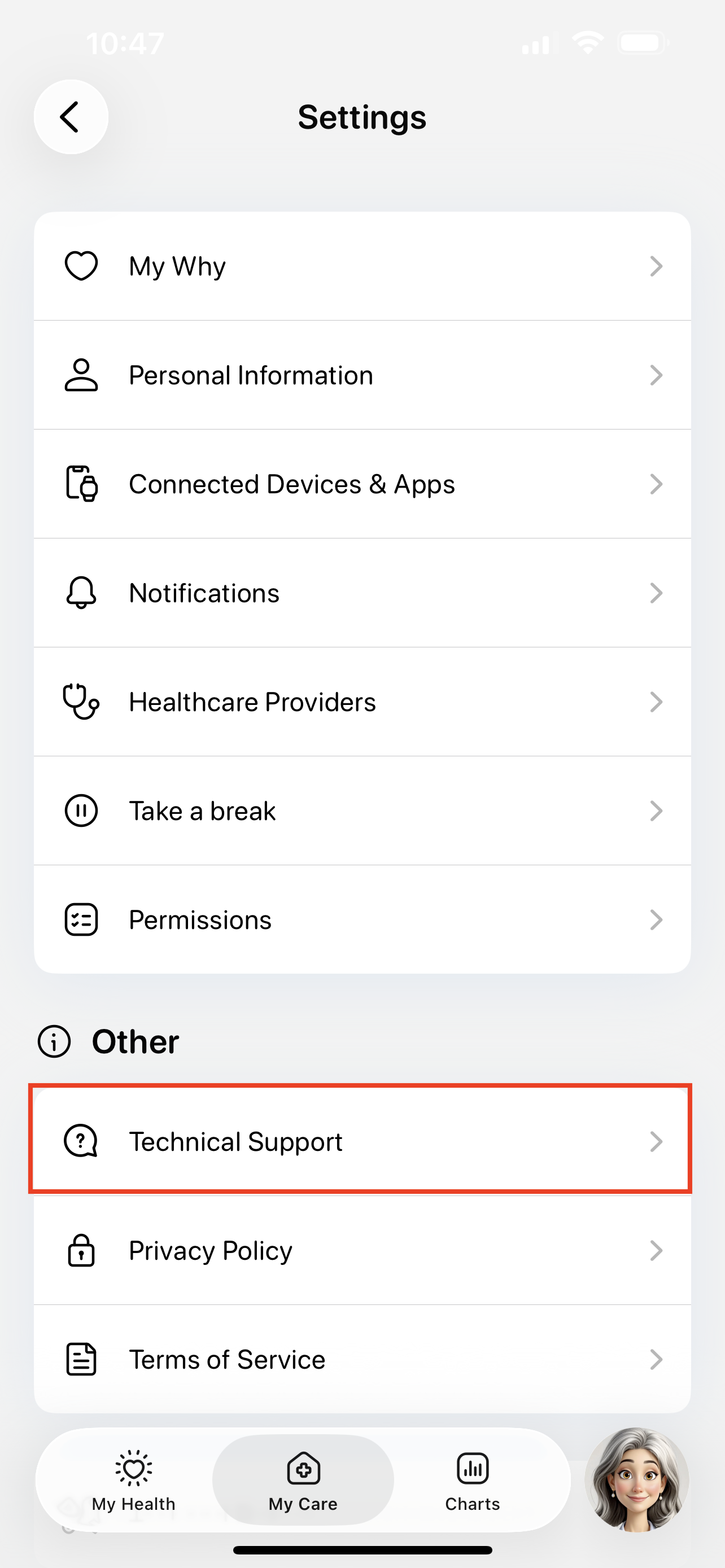
Tap the Technical Support button.
Tap the Issue button to start submitting a support ticket.
You can also use this page to search for existing guides, like how to troubleshoot device errors.

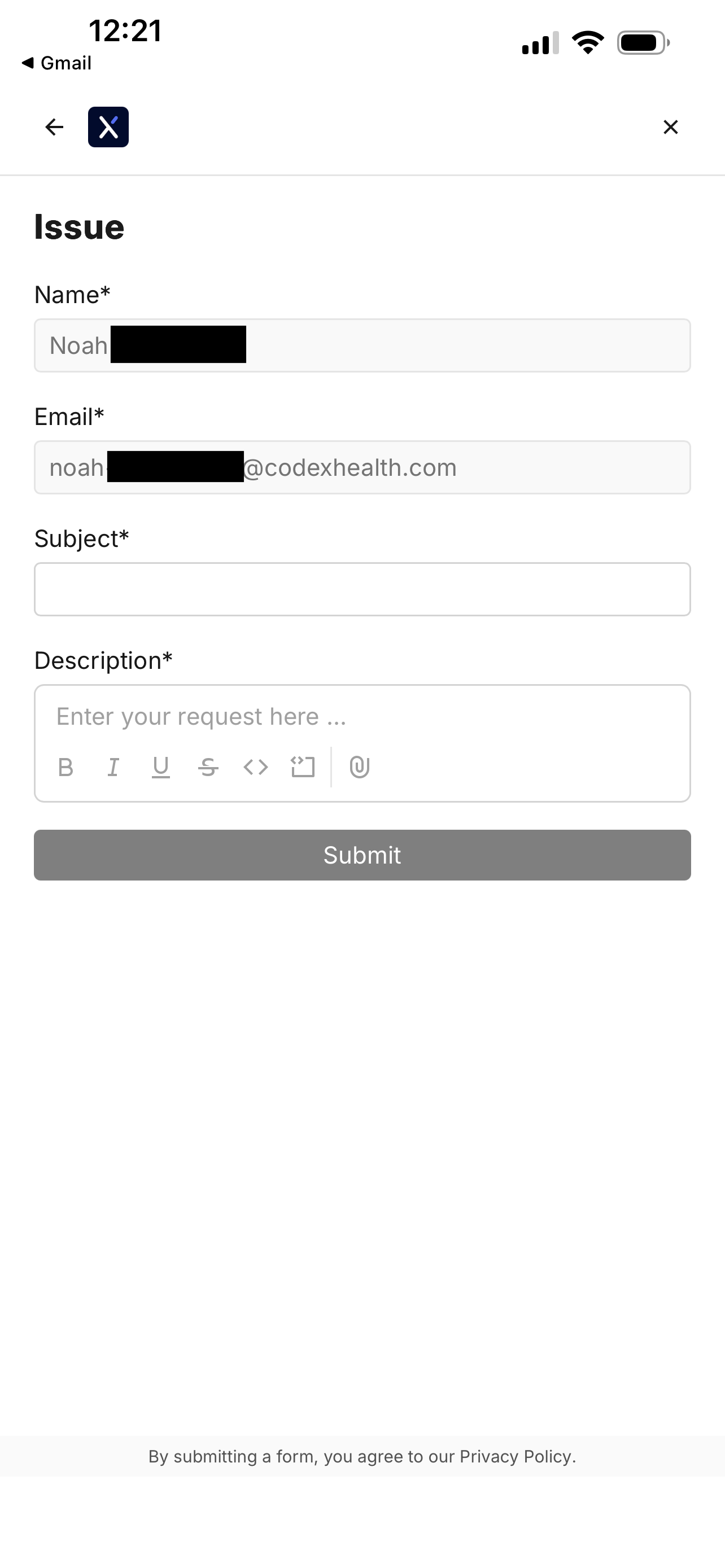
Fill out the support ticket and tap Submit.
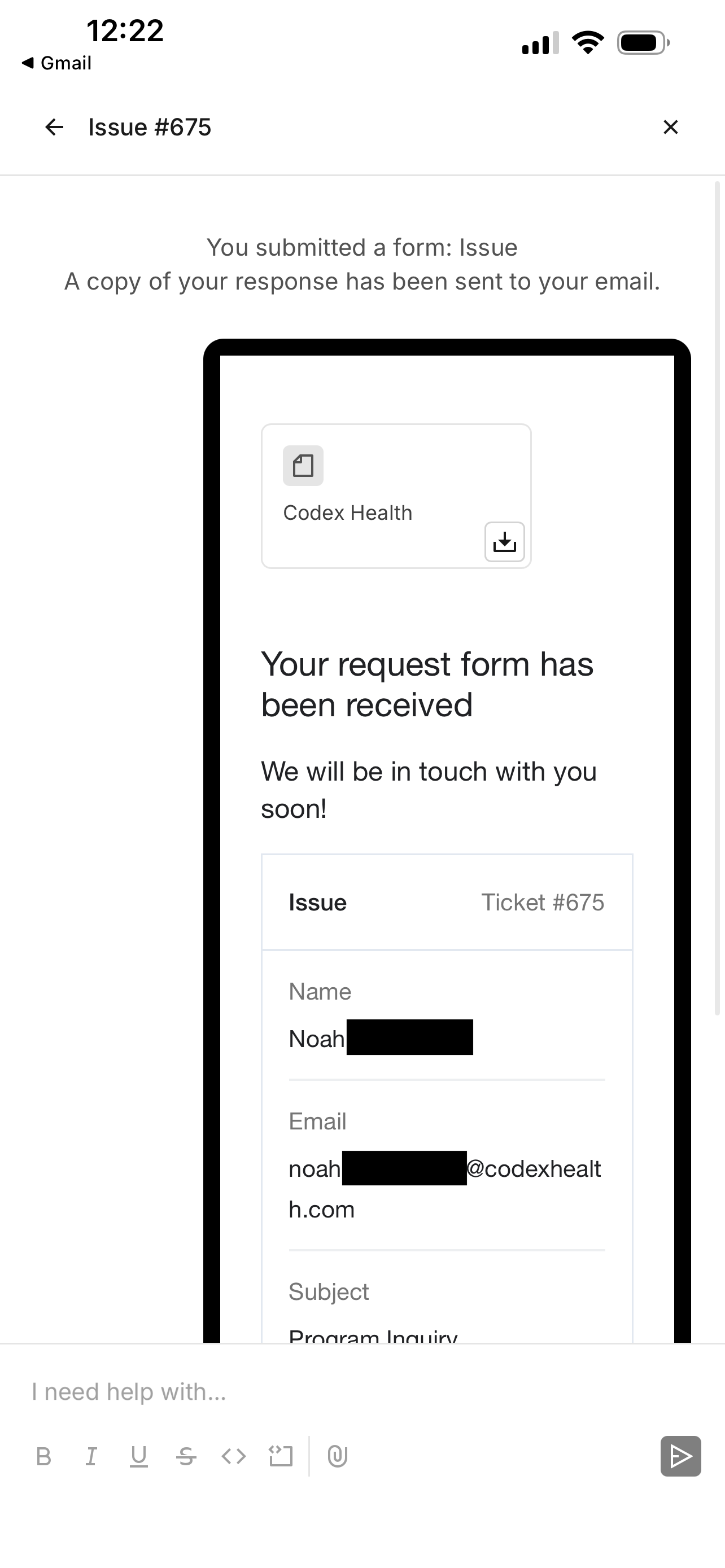
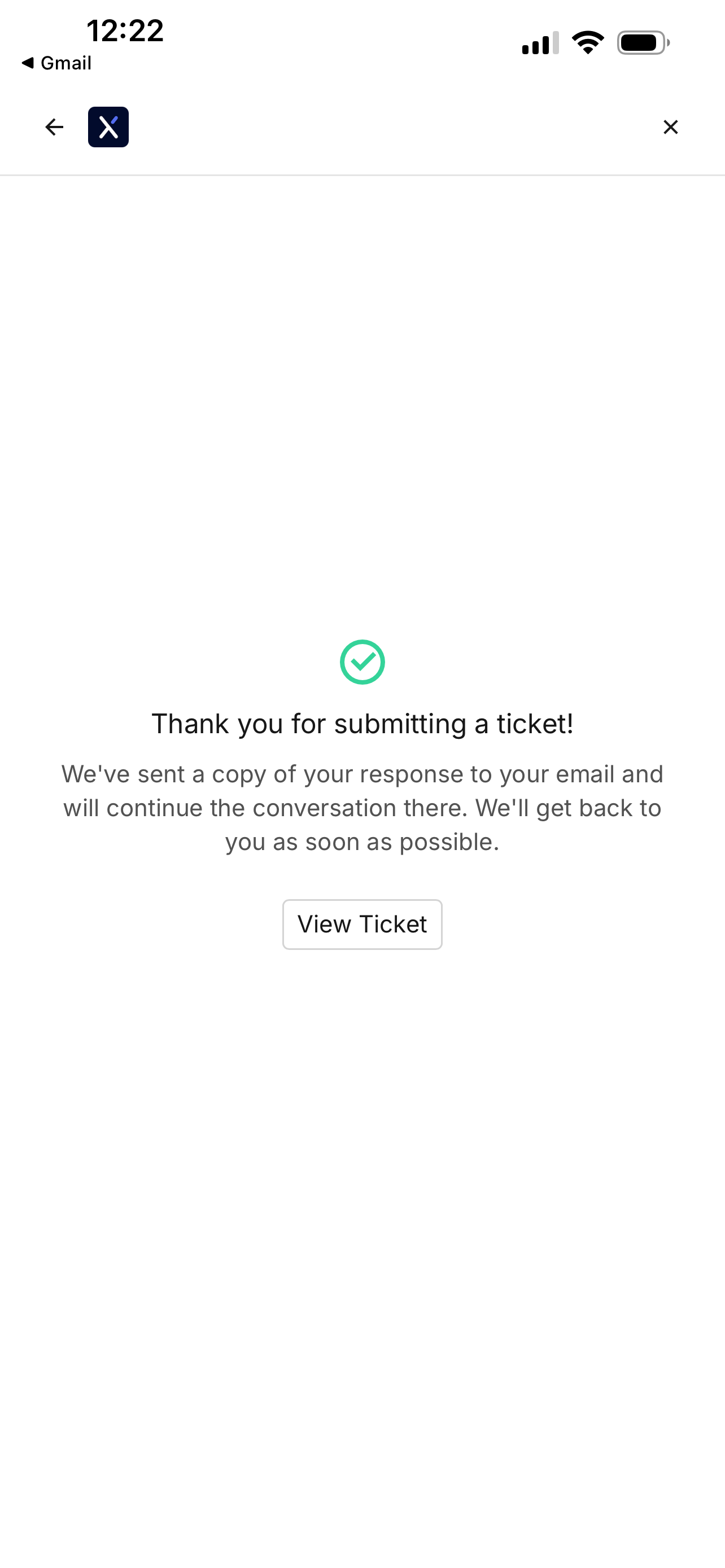
You will see a confirmation screen when your ticket is filed.
Revisiting the file ticket page will show your previous support tickets.

Tapping on a ticket will show any updates.