Patient Reports
Last updated: October 16, 2026
You can now view your Patient Reports in Allie! Your care team can send you these reports summarizing your progress in the program to get a better picture of your overall health journey.
What is a Patient Report?
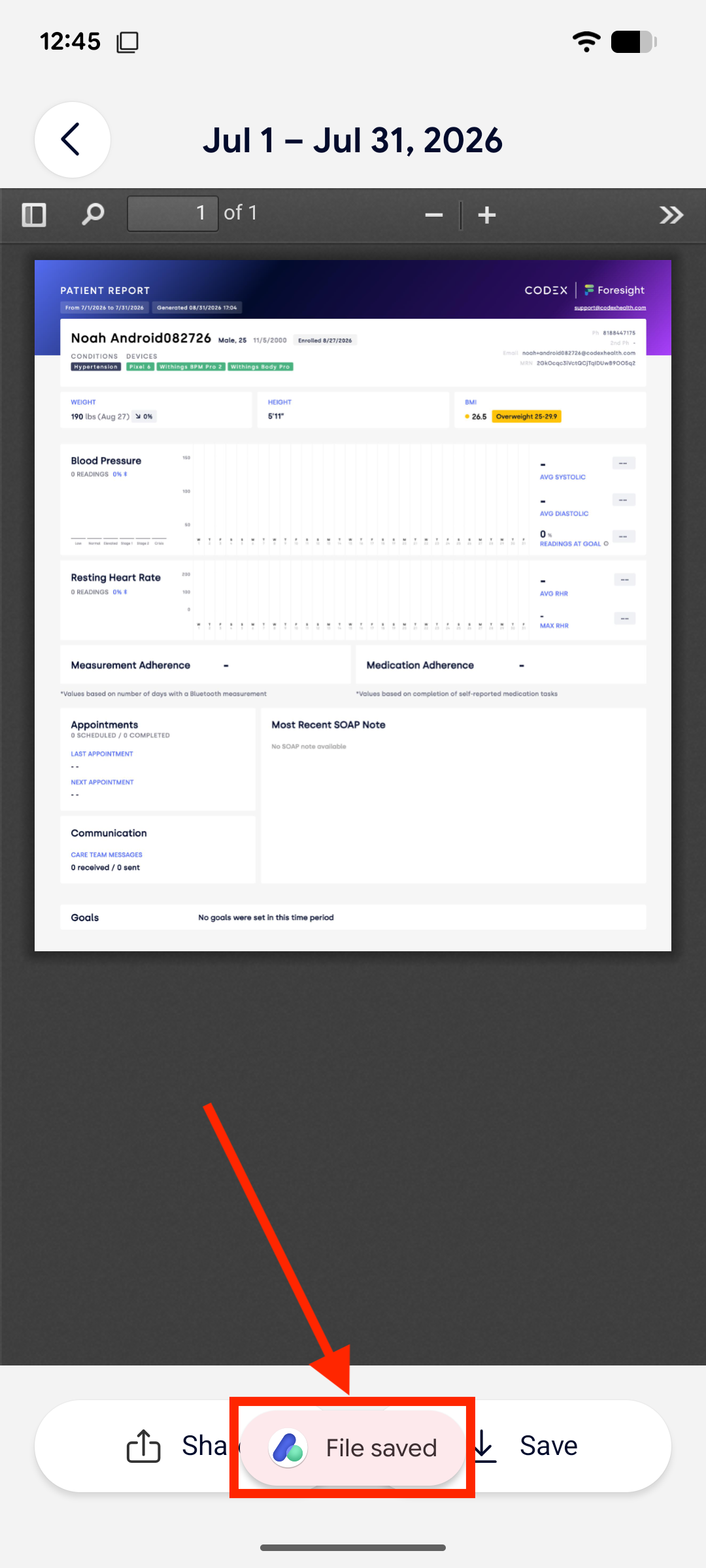
A patient report is a PDF summarizing the following information:
Your profile: name, email, birthdate, sex, MRN
Your enrollment date
Your condition(s)
Your connected device(s)
Your height, weight, and body mass index (BMI)
Your readings such as blood pressure, blood glucose, or weight, depending on which medical device you’re using
Your measurement and medication adherence
Your scheduled appointment(s)
Your SOAP note(s)
Your care team message(s)
Your SMART goal(s) and your progress on them
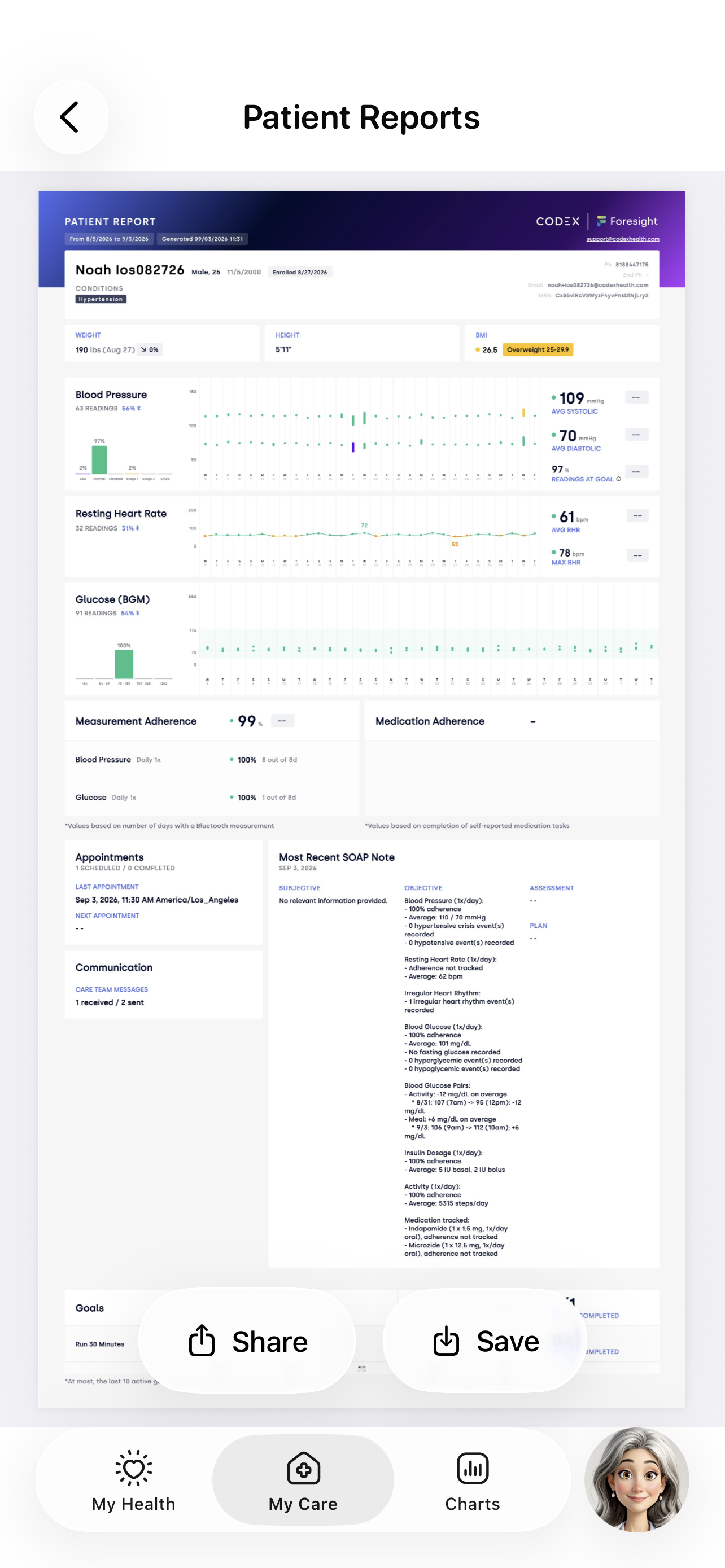
Patient Report
Your Patient Reports Home
To view your patient reports, follow the step-by-step instructions below.
Open the Allie app on your device.
Tap My Care on the navigation bar at the bottom of your screen.
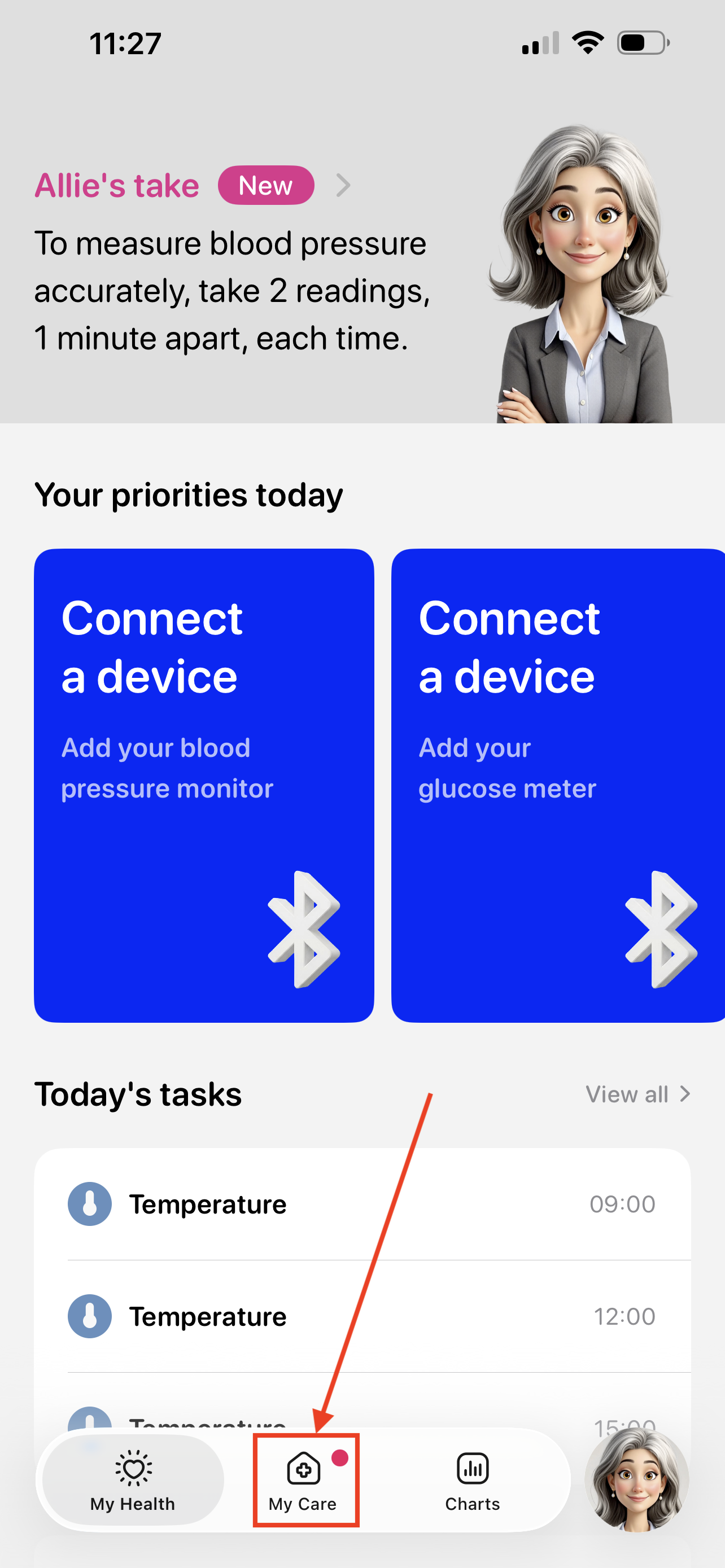
Allie: My Health Tap Patient Reports.
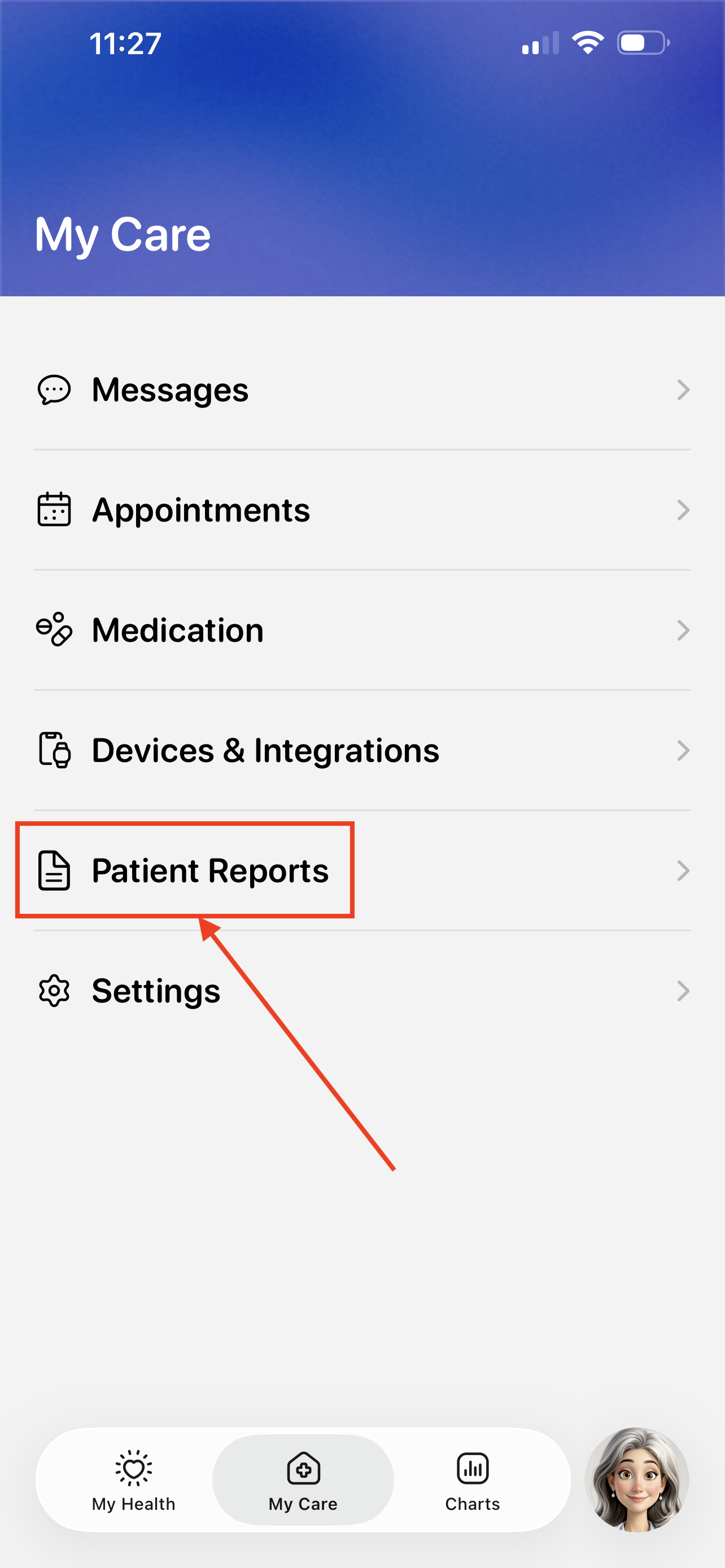
Allie: My Care Tap the patient report you want to view.
Your reports are sorted with the newest report shown at the top of your screen.
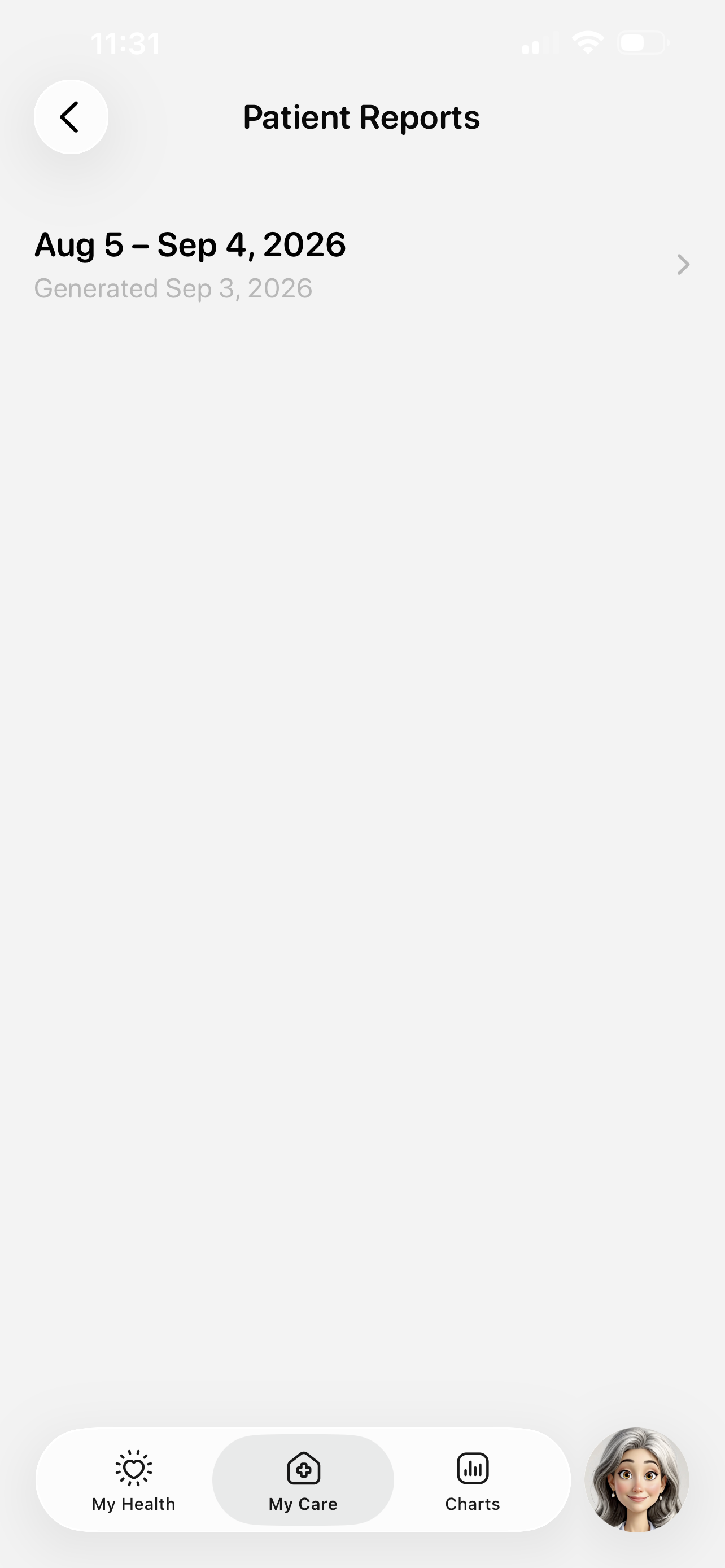
Allie: Patient Reports View your patient report!
You can pinch the screen to zoom in and out.
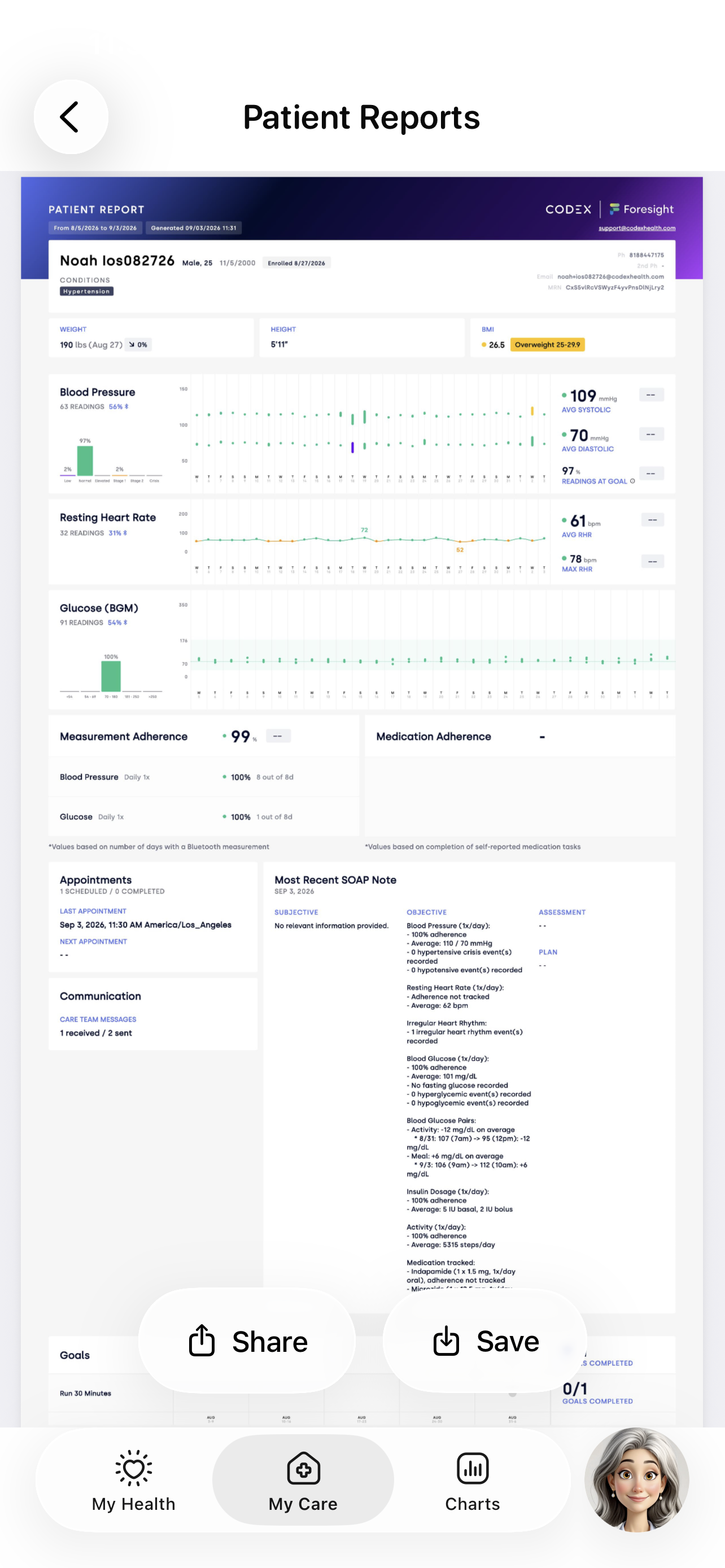
Allie: View a Patient Report
Sharing a Patient Report
You can share your patient report with any of your contacts, like your healthcare provider.
When viewing a patient report, tap the Share button.
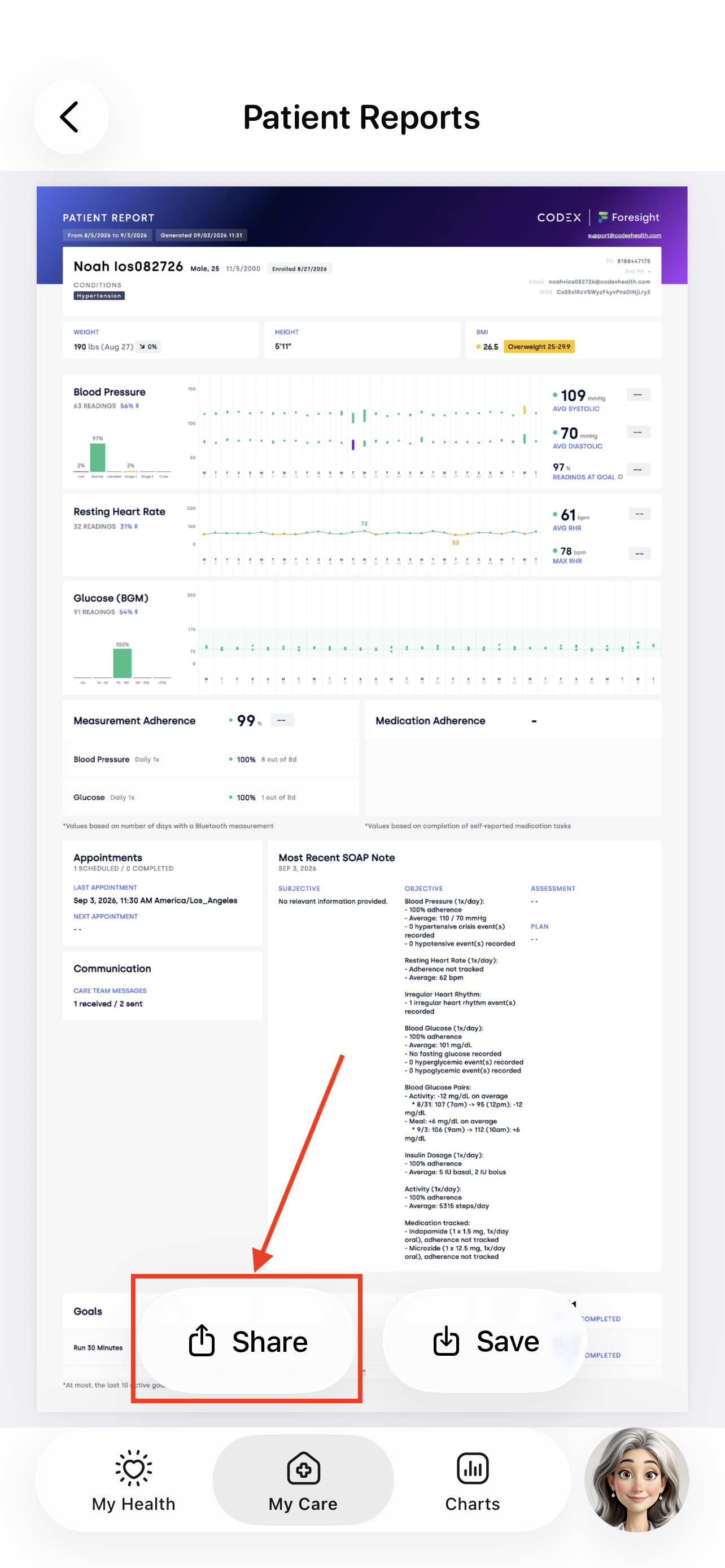
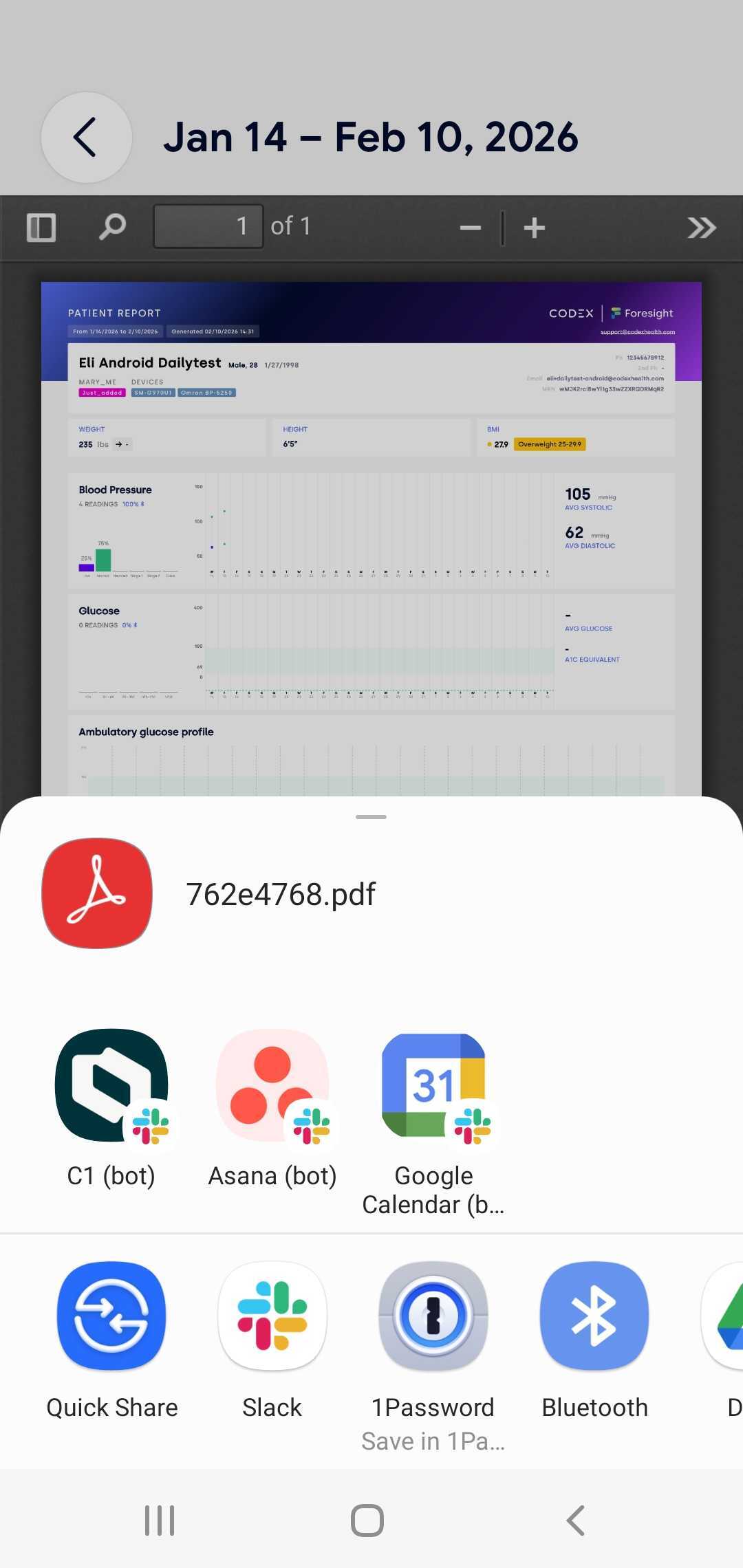
Saving a Patient Report
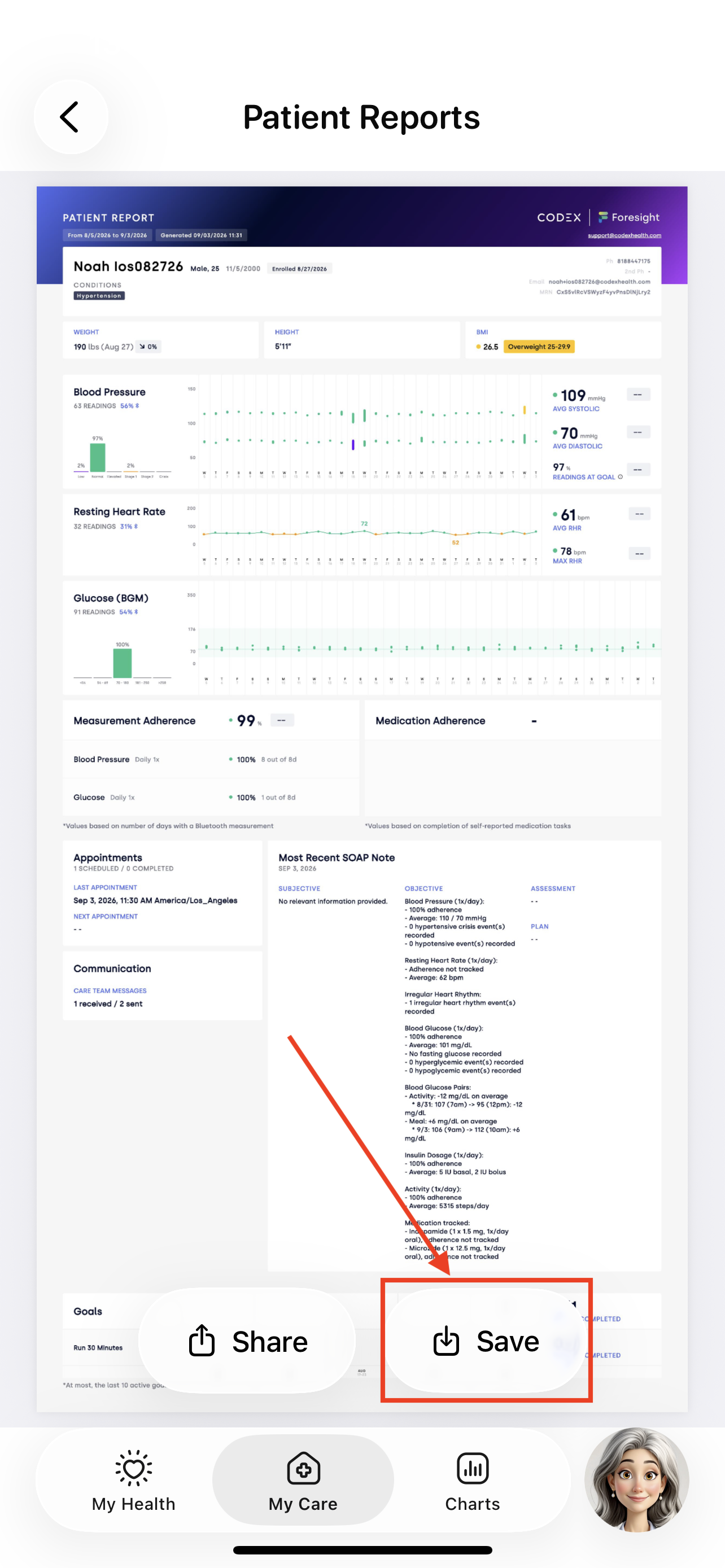
You can save your patient report onto your mobile device.
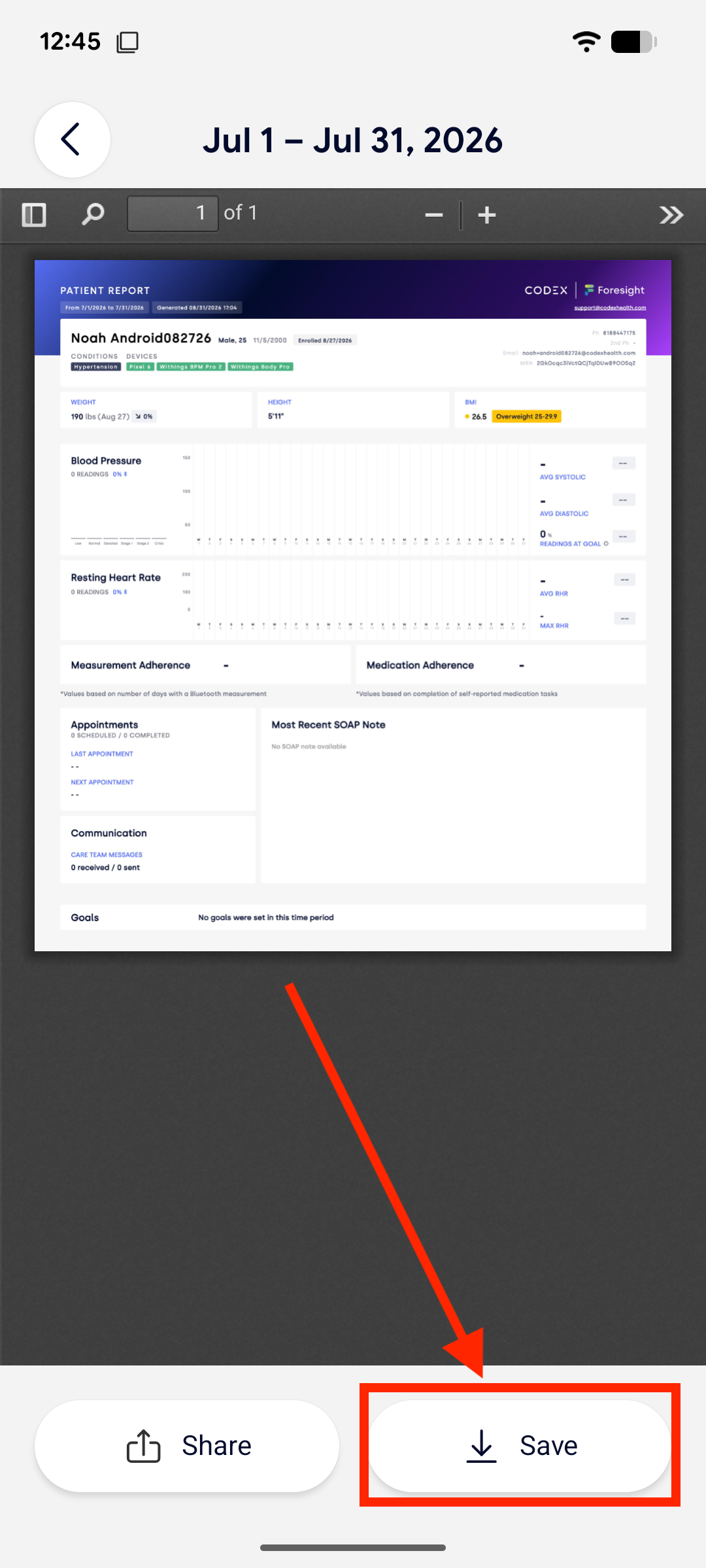
When viewing a patient report, tap the Save button.
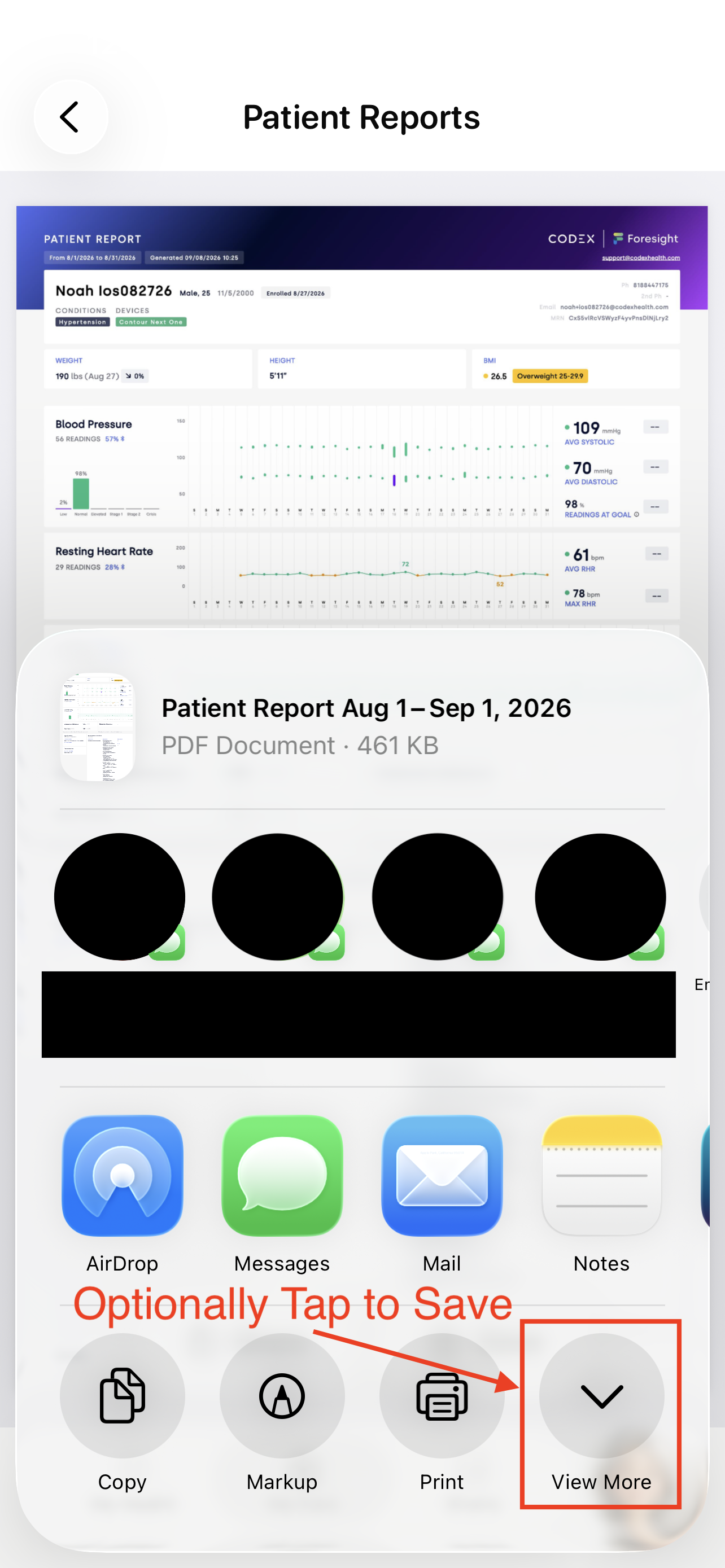
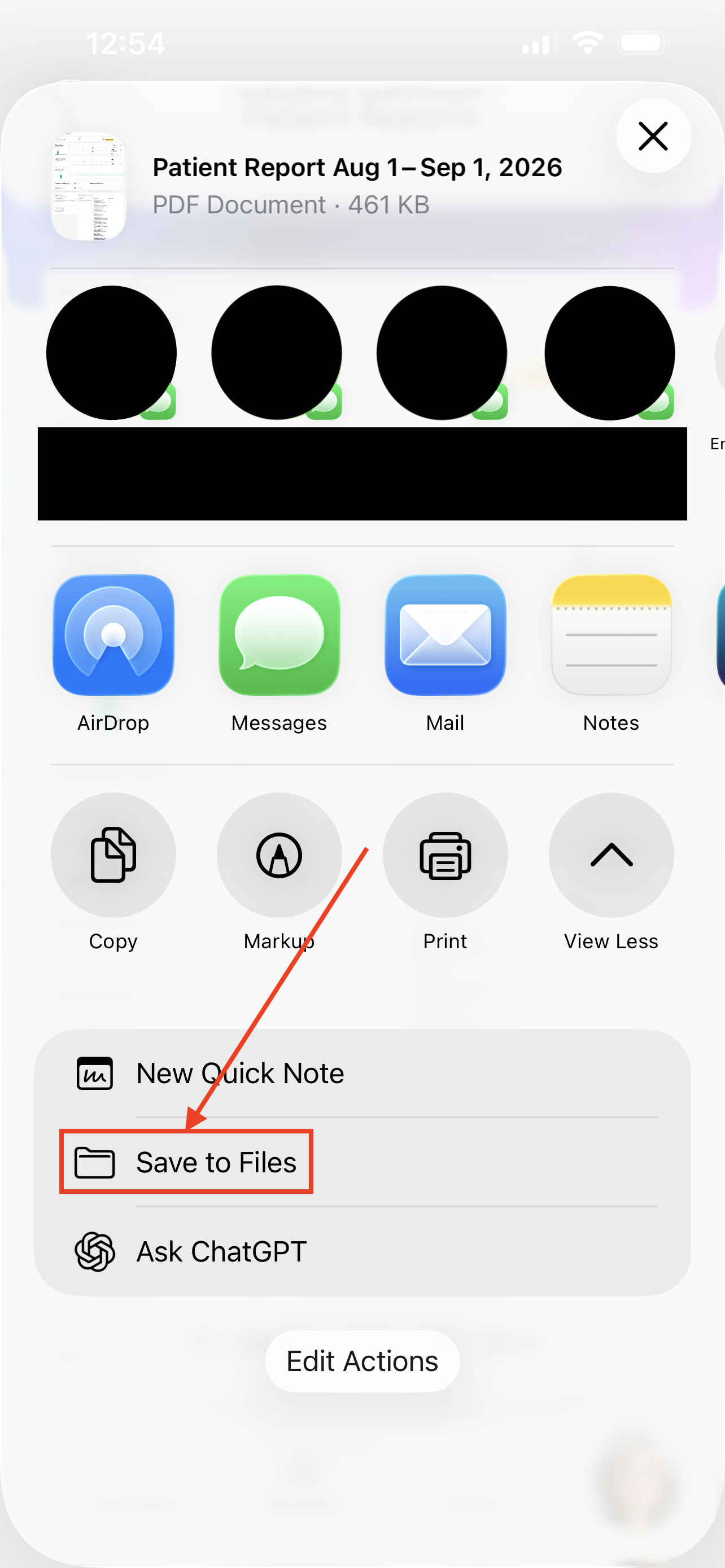
Please refer to the section below to see where the patient report will be saved based on your phone type.
iPhone
You can choose the destination you would like to save the patient report PDF to, like your Files.
Android
The patient report PDF will be saved to your Files -> Downloads.
Need help?
If you need assistance or have questions, please refer to the following steps:
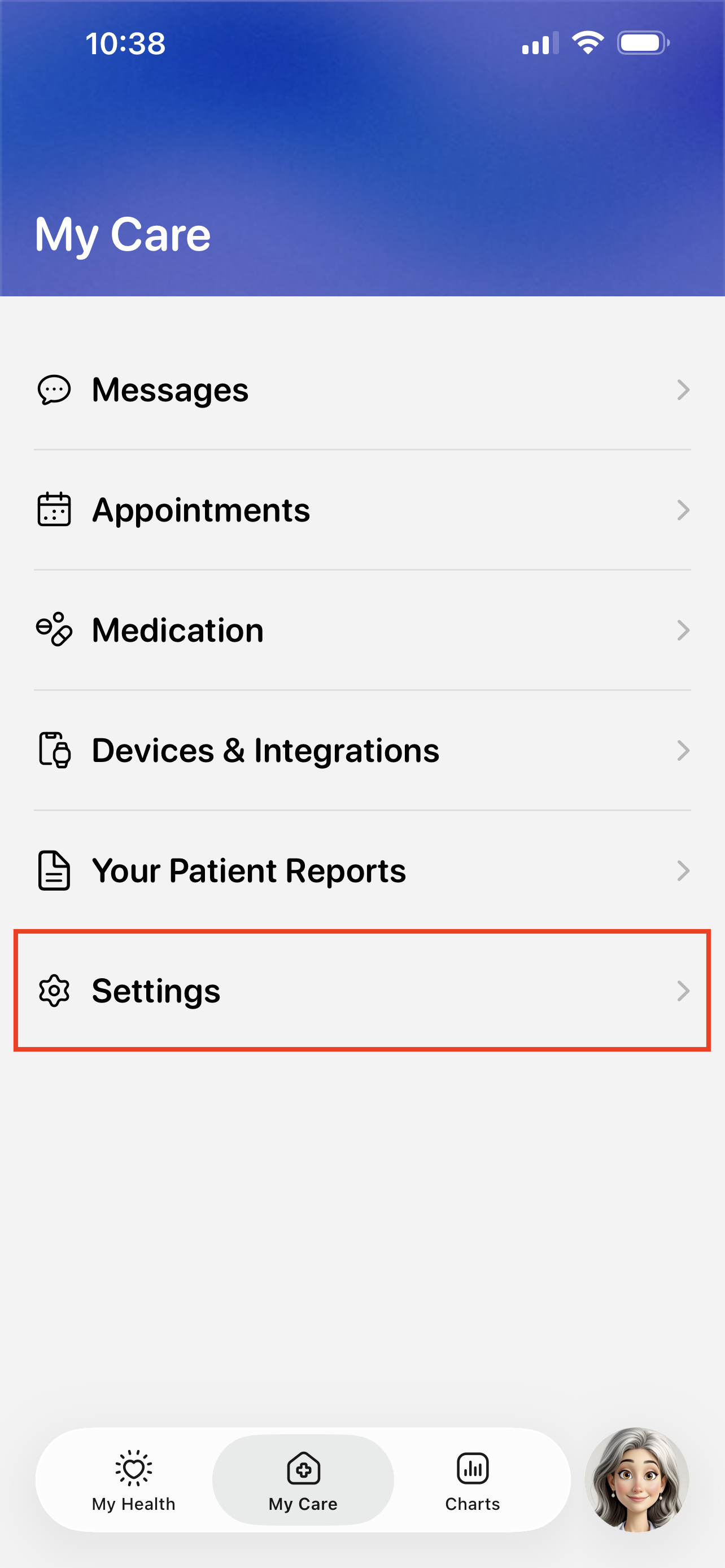
Visit the My Care > Settings.
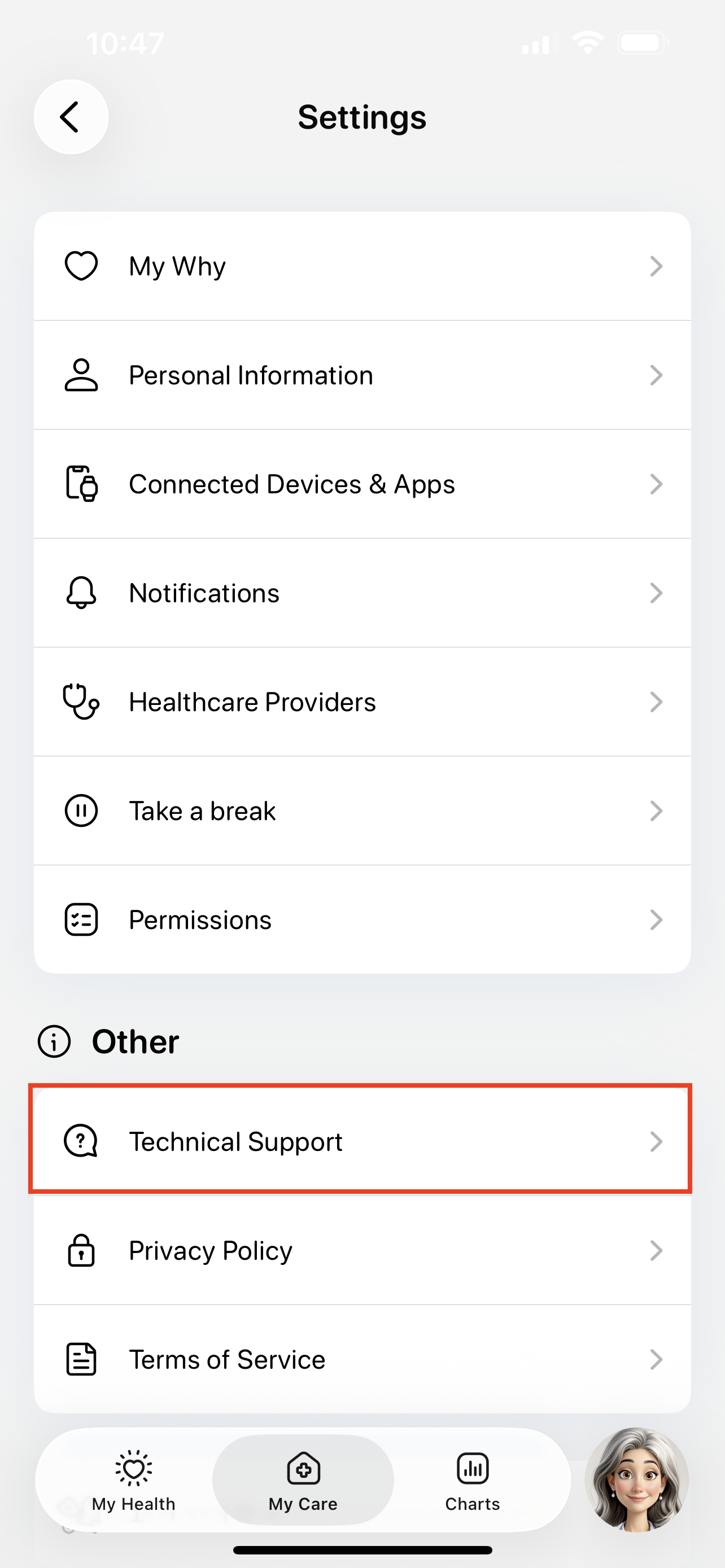
Tap the Technical Support button.
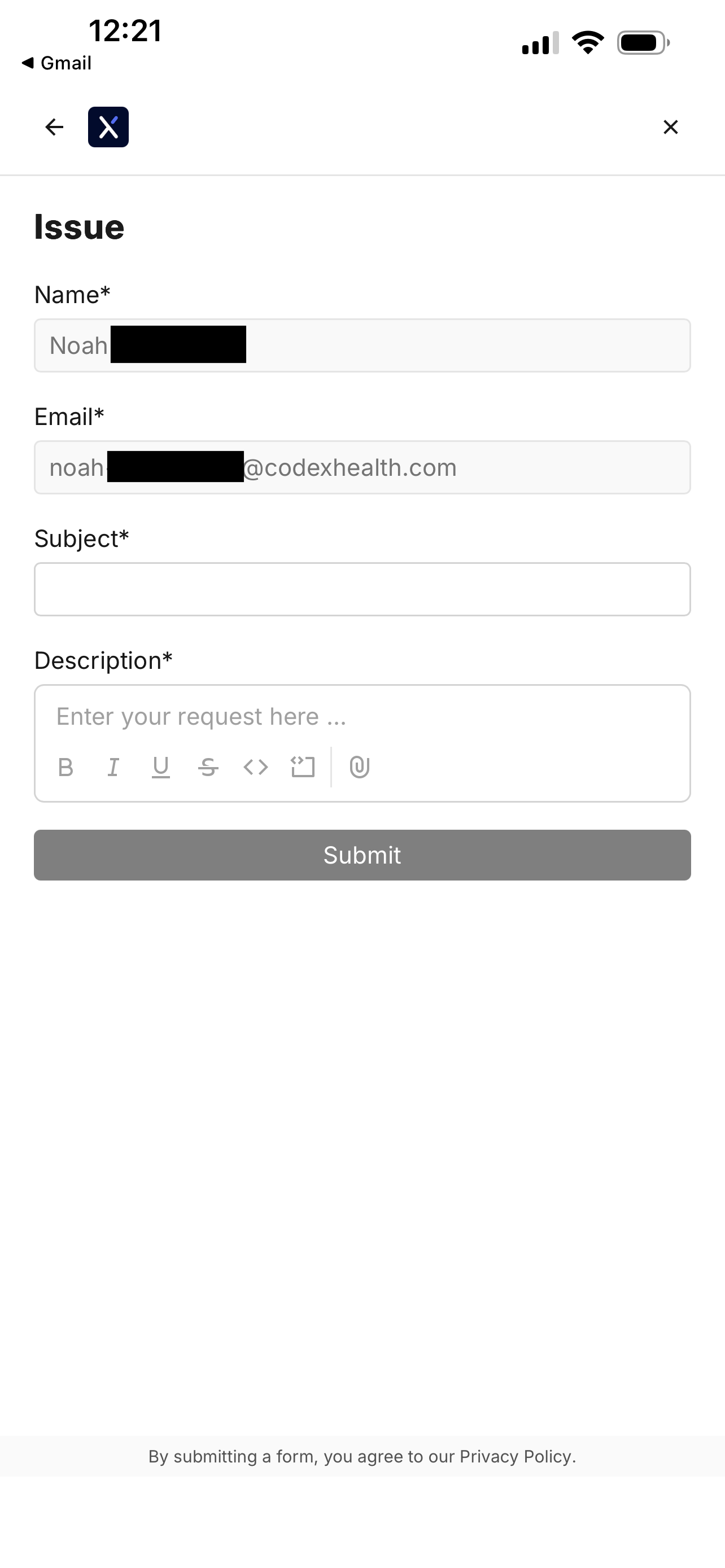
Tap the Issue button to start submitting a support ticket.
You can also use this page to search for existing guides, like how to troubleshoot device errors.

Fill out the support ticket and tap Submit.
You will see a confirmation screen when your ticket is filed.
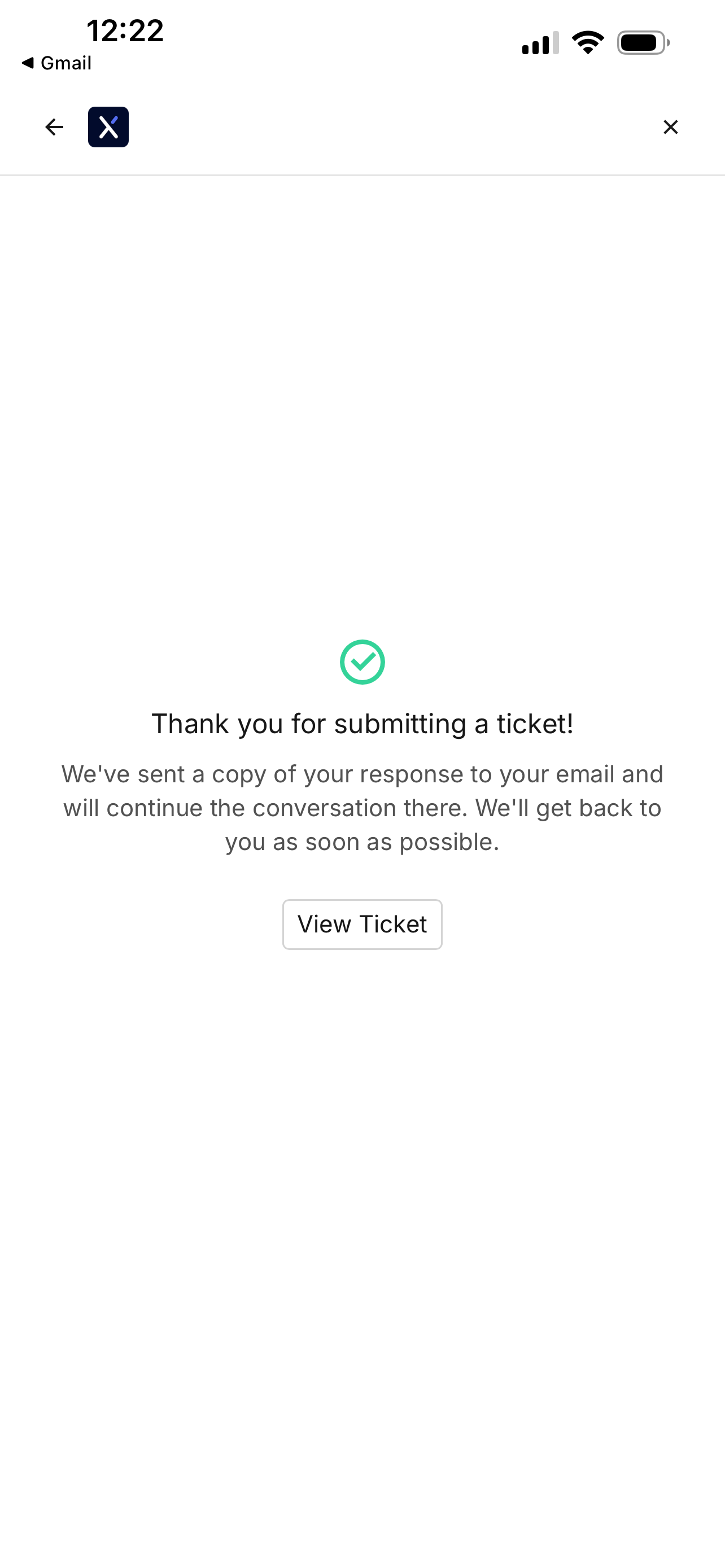
Revisiting the file ticket page will show your previous support tickets.

Tapping on a ticket will show any updates.