Guide to Daily Streaks
Last updated: October 28, 2026
We are excited to introduce Streaks, a new feature designed to help you stay consistent with your health journey. A streak represents the number of consecutive days you have successfully logged a Bluetooth health measurement.
Streaks are designed to help you build momentum in your health journey by rewarding consistency. Whether you are just starting or have been tracking for months, this guide explains how to build, maintain, and repair your daily progress.
How Streaks Work
Building a Streak: To start or continue a streak, simply take a daily reading with your Bluetooth-connected Blood Pressure Monitor, Blood Glucose Monitor, or Weight Scale.
Visual Tracking: As you continue your daily readings, you will see your streak count rise.
Your Streaks Home
To view more details about your streaks, tap anywhere on the Streaks card at the bottom of the My Health tab. That will bring up your Streaks home where you can view a detailed breakdown of your progress and your longest streak.
The Streak Counter: The large number at the top displays your current streak—the total number of consecutive days you have logged a reading.
Streak History: Below the counter, you will see a visual history (represented by dots and bars) of your Bluetooth readings. You can quickly see which days you successfully recorded a reading, how many consecutive days you've achieved, and if you have any streaks that can be repaired.
Repairs: Below the calendar is the repairs section. This tells you how many streak repairs you have and helps you understand how repairs work and are earned.

Repairing a Broken Streak
We understand that you might miss a day occasionally. If this happens, your streak enters a "repairable" state rather than immediately resetting to zero.
Using a Repair: If you have a repair available, you can use one to fill in a missing day. Tap the Streak card on the Tasks tab and then tap the Repair Streak button. This restores your streak and allows you to keep your current count.
Earning Repairs: There are two ways to earn repairs: every month you'll receive 1 free streak repair and when you reach a streak of 5 days, you'll earn 1 streak repair. However, the maximum number of streak repairs you can have at one time is 3.
 |  |
When Does a Streak Reset?
A streak will drop back to 0 if:
You miss a daily reading, and
You either do not have any Repairs available or choose not to use one.
If your streak lapses, don't worry—you can start a new streak with your very next reading.
About Streaks
If you need more information about streaks, scroll to the bottom of your Streaks screen and tap on the "More about streaks" button. This screen gives you a snapshot of streaks and how it works.

Contact Support with Allie
We recommend using the Allie app if you need assistance or have questions by following the steps below.
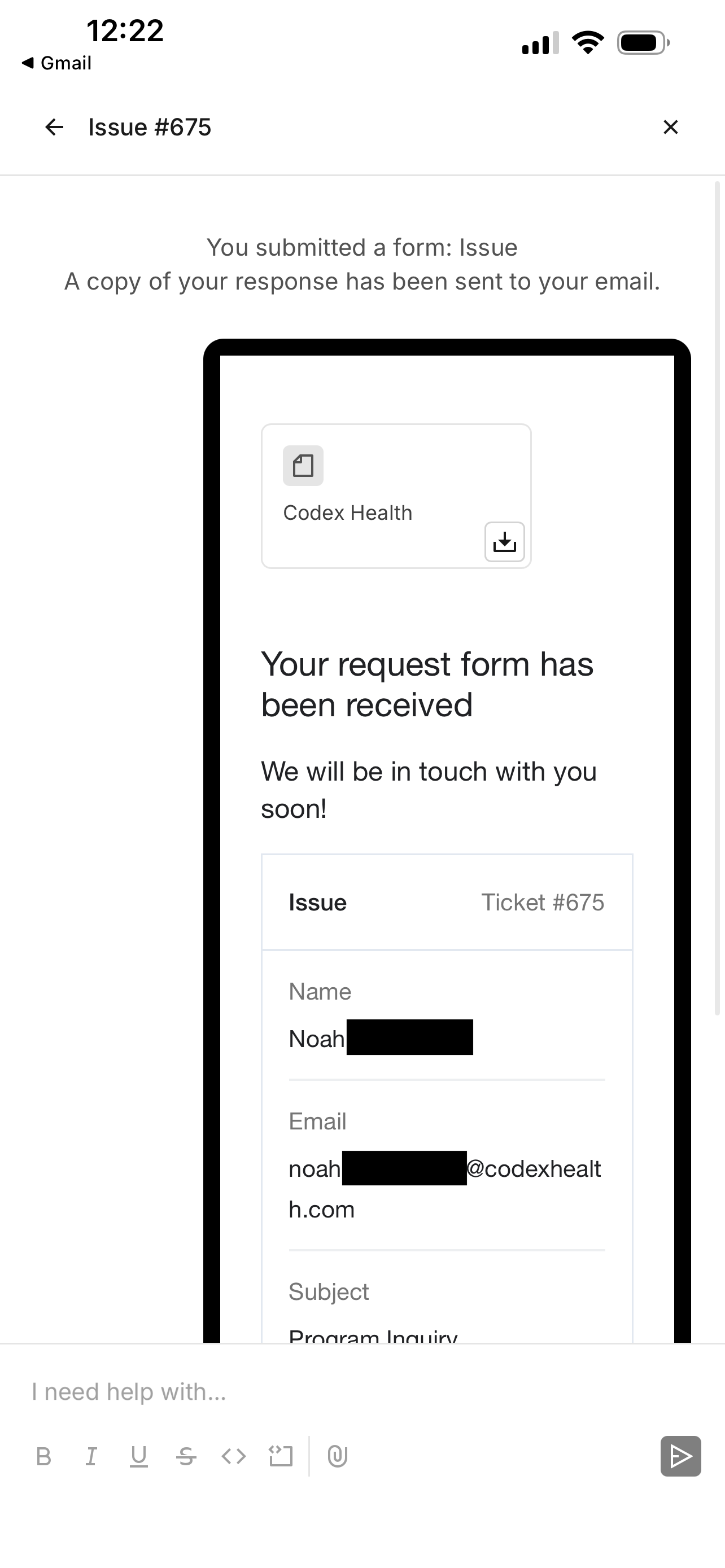
Visit the My Care > Settings.
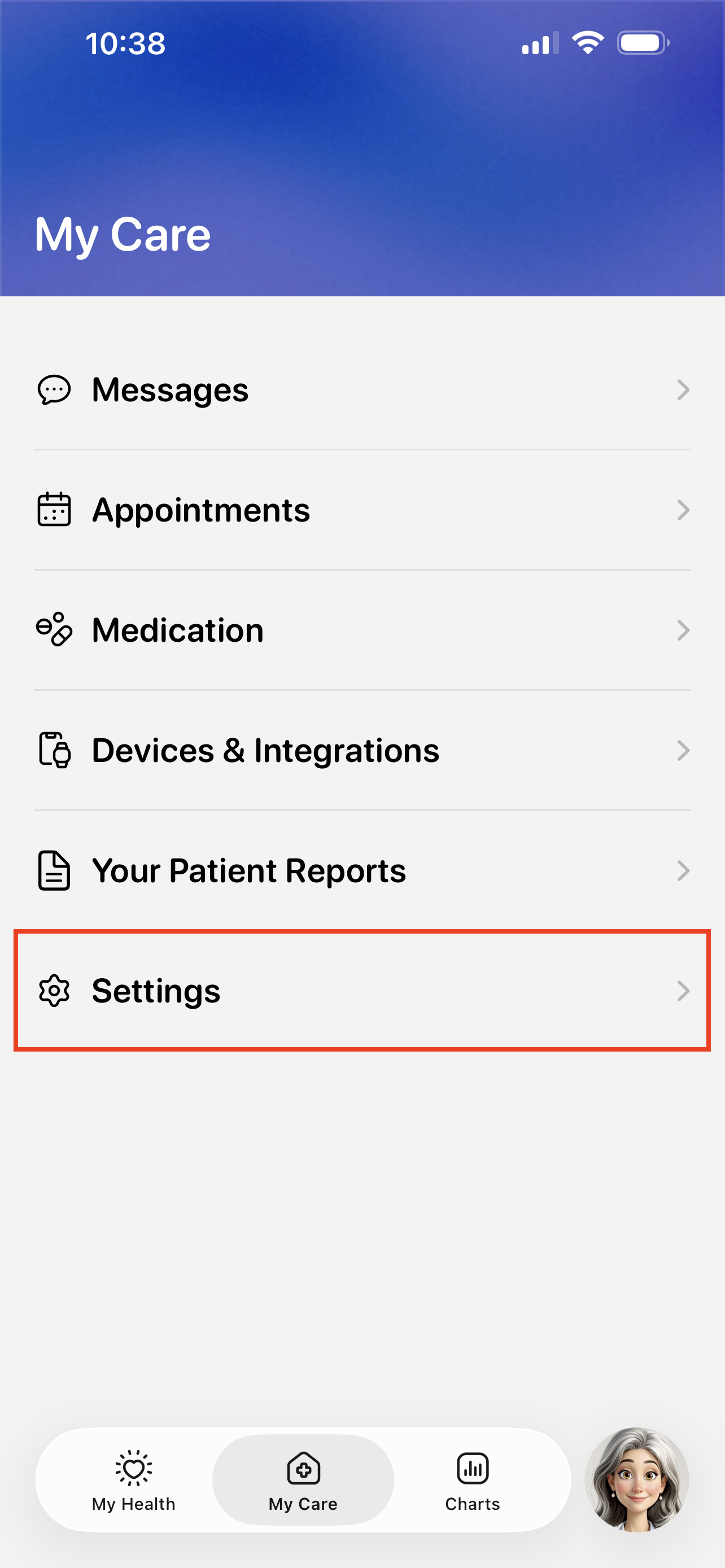
Tap the Technical Support button.
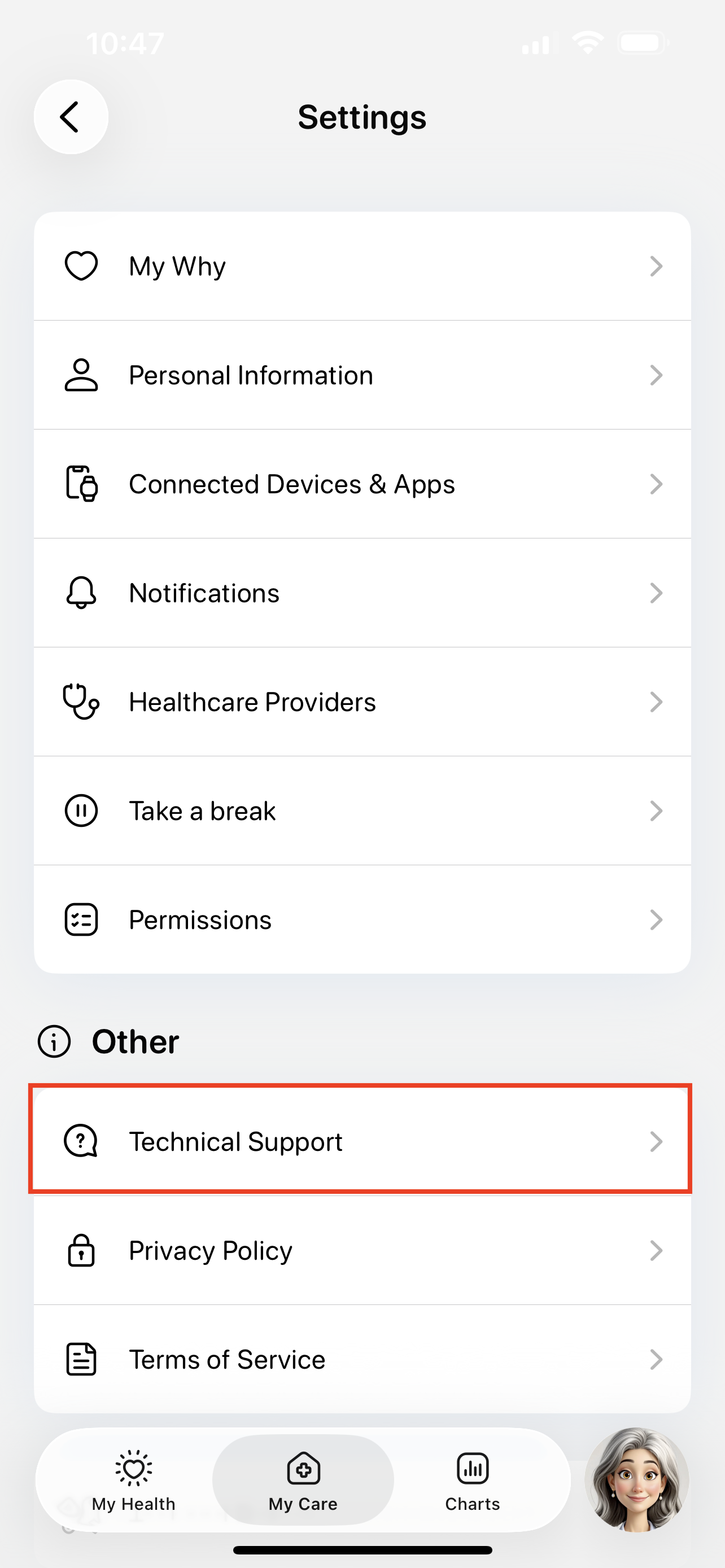
Tap the Issue button to start submitting a support ticket.
You can also use this page to search for existing guides, like how to troubleshoot device errors.

Fill out the support ticket and tap Submit.
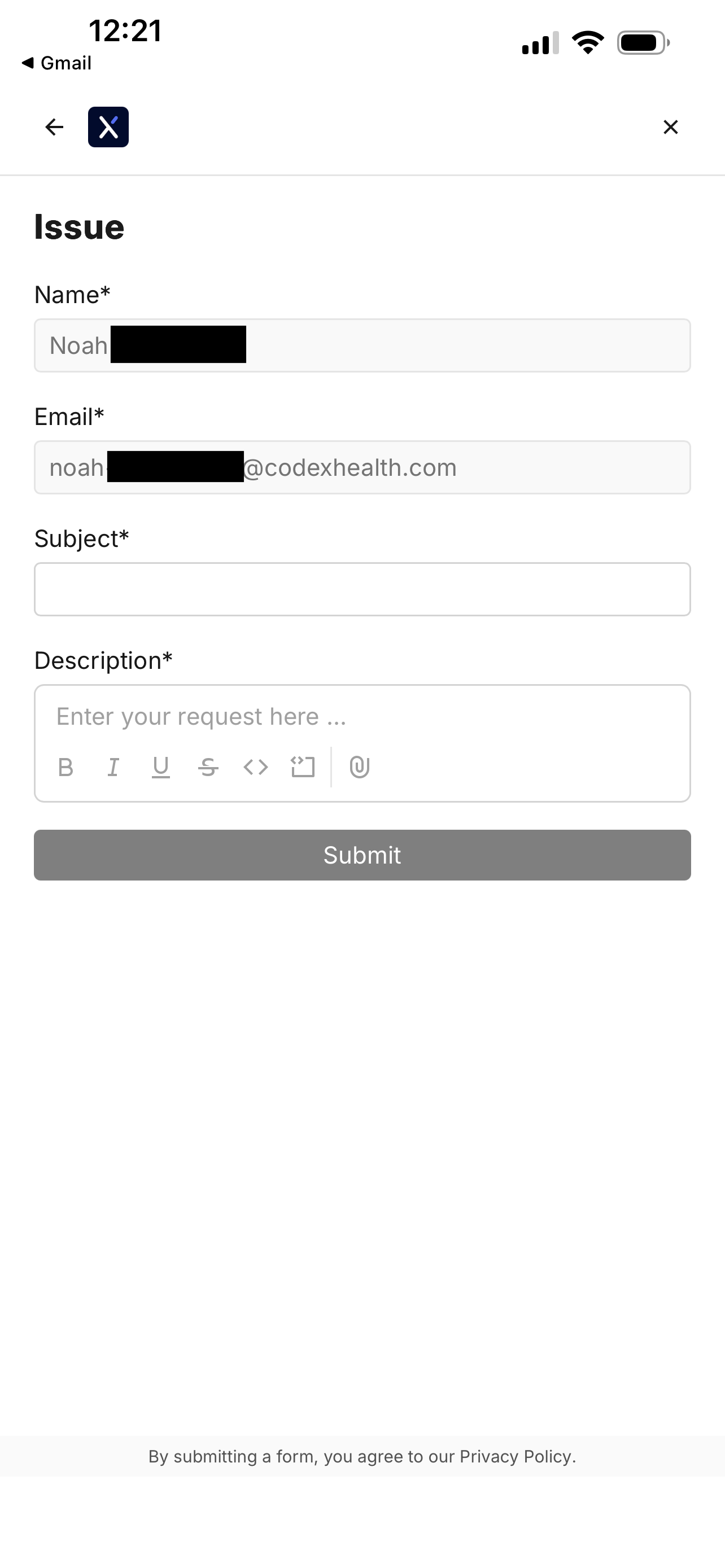
You will see a confirmation screen when your ticket is filed.
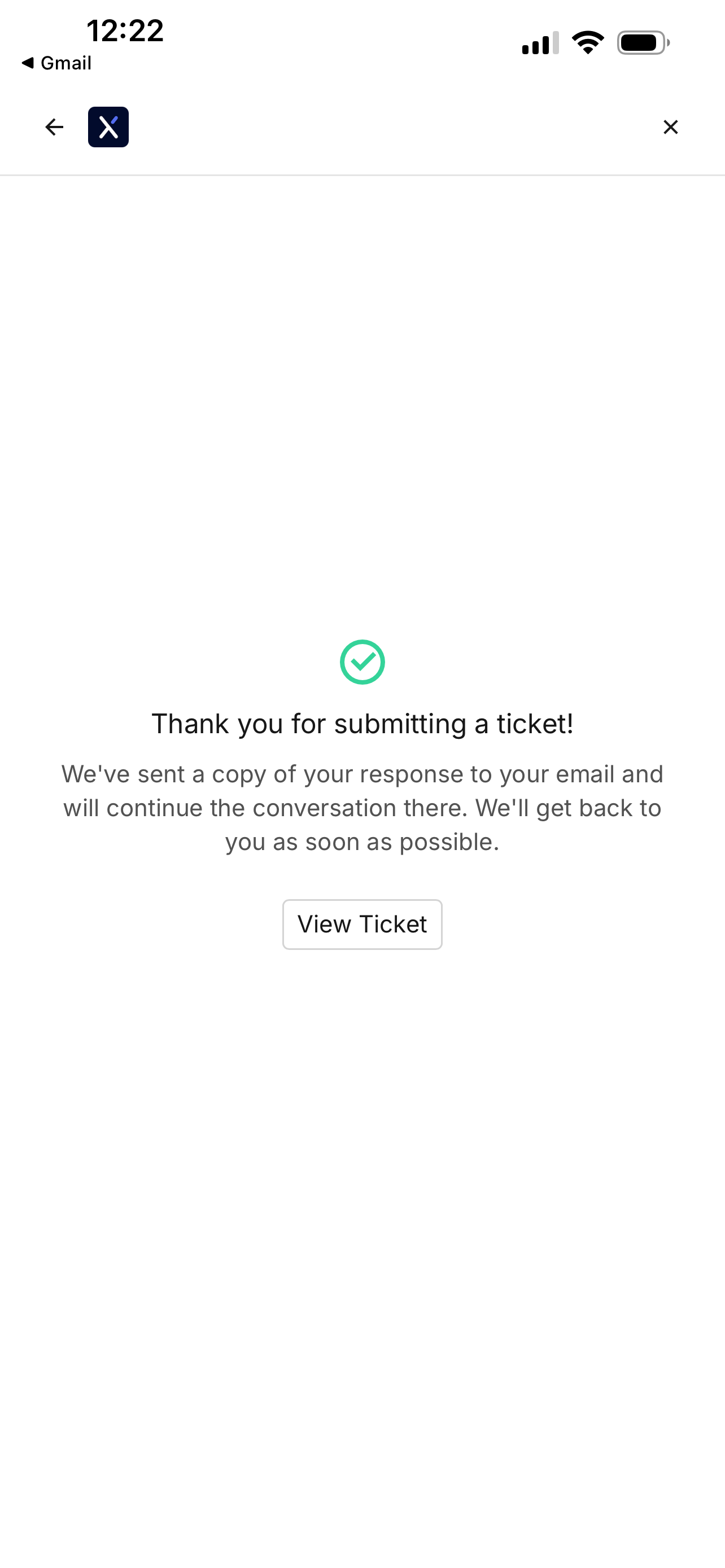
Revisiting the file ticket page will show your previous support tickets.

Tapping on a ticket will show any updates.