Connecting MyFitnessPal to Your Allie Account
Last updated: November 11, 2026
Want better meal recommendations from your clinical team? 🤔
By connecting MyFitnessPal to Allie, your care team can see what you're eating and provide tailored feedback — no extra work needed from you! 🙌
Jump to a section:
Why Connect MyFitnessPal to Allie?
Download & Set Up MyFitnessPal
🌟 Why Connect MyFitnessPal to Allie?
🔍 When you log your meals in MyFitnessPal, your clinician can:
👀 View your meals in Foresight
💬 Give smarter, more personalized feedback
🧭 Help guide your health journey with real data!
📲 Step 1: Download & Set Up MyFitnessPal
Search for MyFitnessPal (or use the links above) and download the app
Open the app and create an account
Start logging your meals 🍎🍞🥗
👉 Tip: Try to log meals daily so your clinical team gets the full picture!
🔗 Step 2: Connect MyFitnessPal to Allie
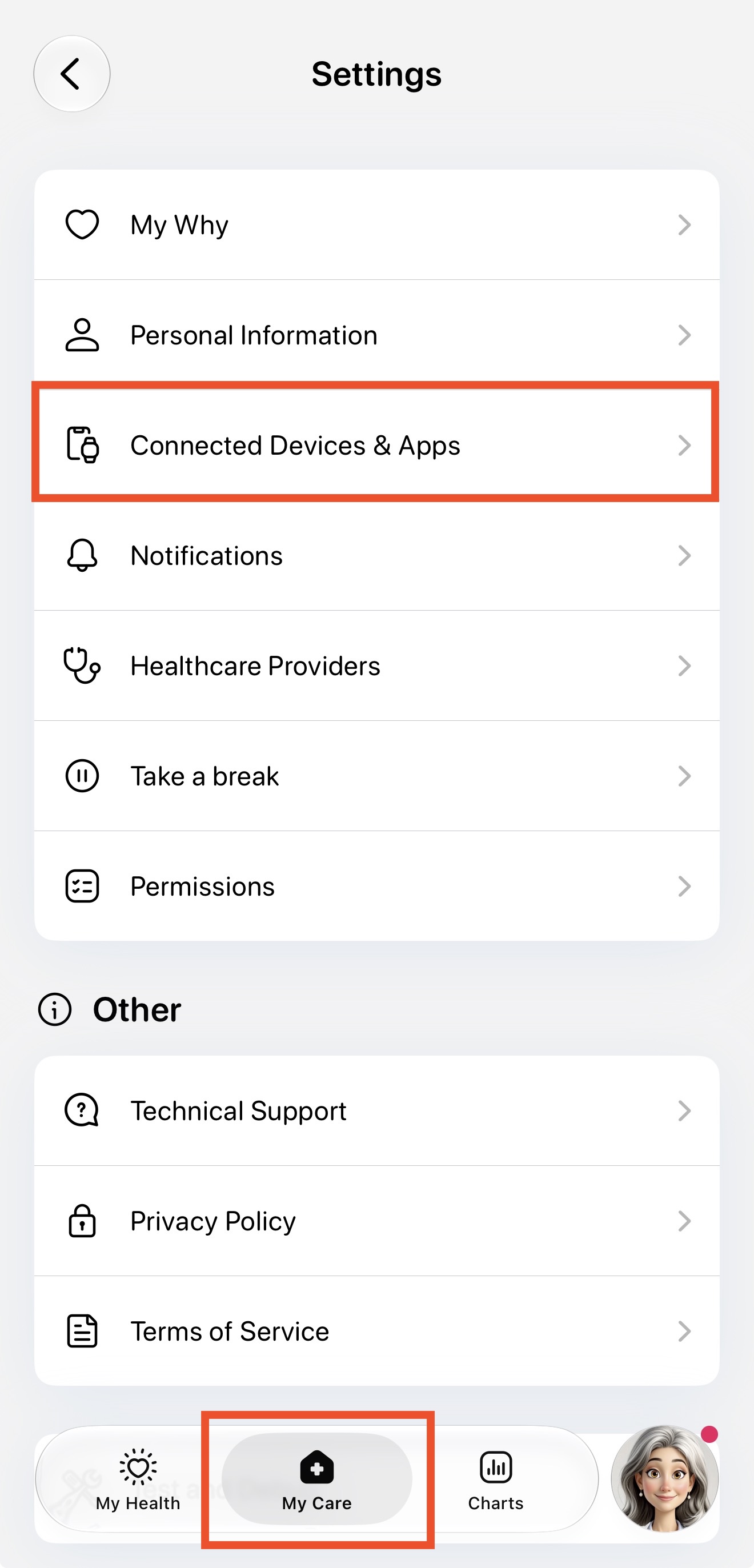
1. Open the Allie app, select My Care at the bottom of the screen
2. Go to Connected Devices & Apps
3. Select MyFitnessPal

4. Follow the on-screen instructions to link your account through Terra.

5. Log in to your MyFitnessPal account using your username and diary key.
❓Unsure what your MyFitnessPal Diary Key is? Tap "What is my Diary Key?" to see instructions or click here

🎉 That’s it! Your meals are now being shared with your care team.

ℹ Good to Know!
🧑⚕ You won't see your meal data in the Allie app just yet—but don't worry, your clinician can see it and use it to support your care.
📲 You can always view your full meal history in the MyFitnessPal app!
🔑 What is my Diary Key?
Follow the instructions below on how to set and discover what your Diary Key is within your MyFitnessPal app!
1. Open your MyFitnessPal app and select More from the bottom navigation bar.

2. You can find your username at the top of the page.

3. Scroll down the menu and select the Settings button.

4. Select Diary Settings from the Settings menu.

5. Select Diary Sharing from the Diary settings menu

6. Set your sharing option to Locked with a key.

6.5. Enter a Diary Key. This will be used to connect to MyFitnessPal. Click the check mark in the top right corner, across from "Diary Sharing" to save your Diary Key.

Contact Support with Allie
We recommend using the Allie app if you need assistance or have questions by following the steps below.
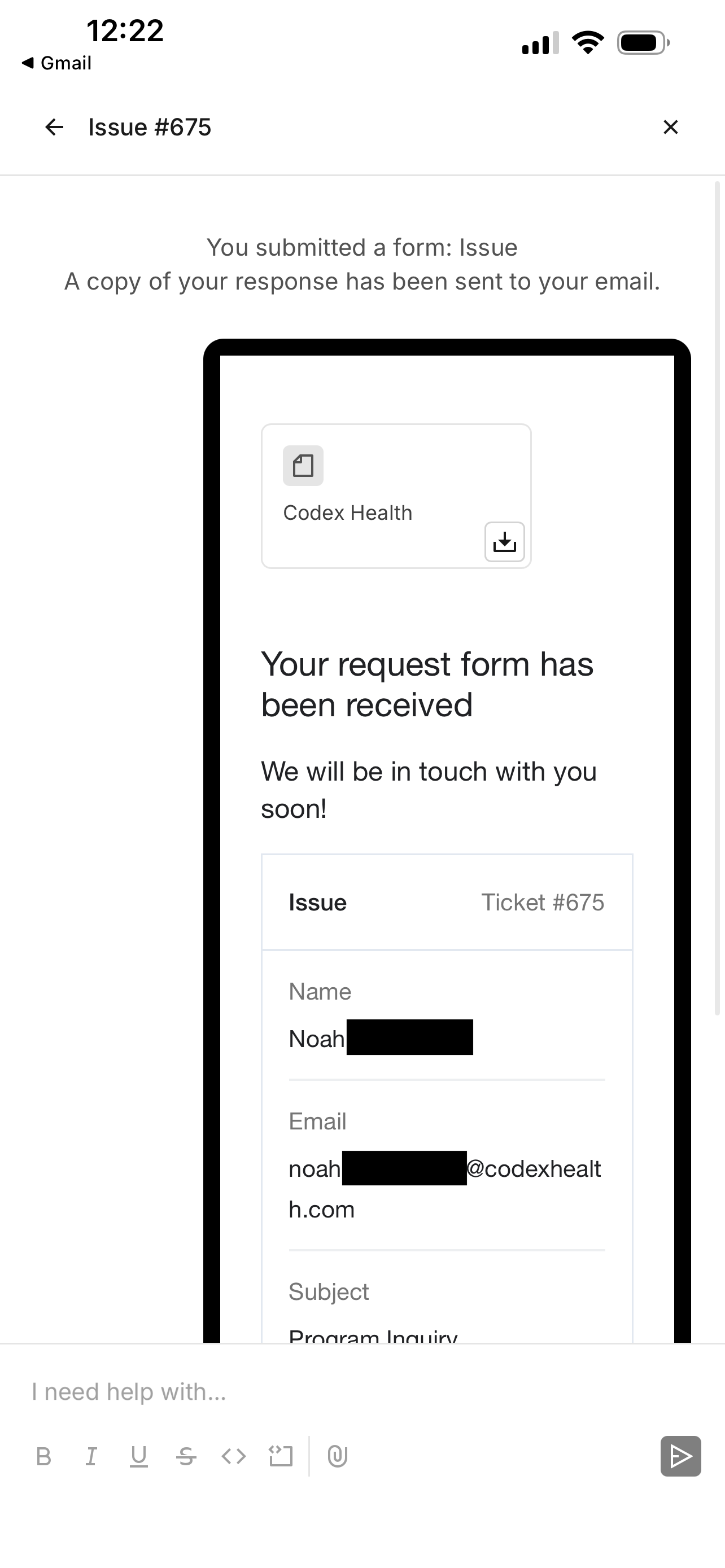
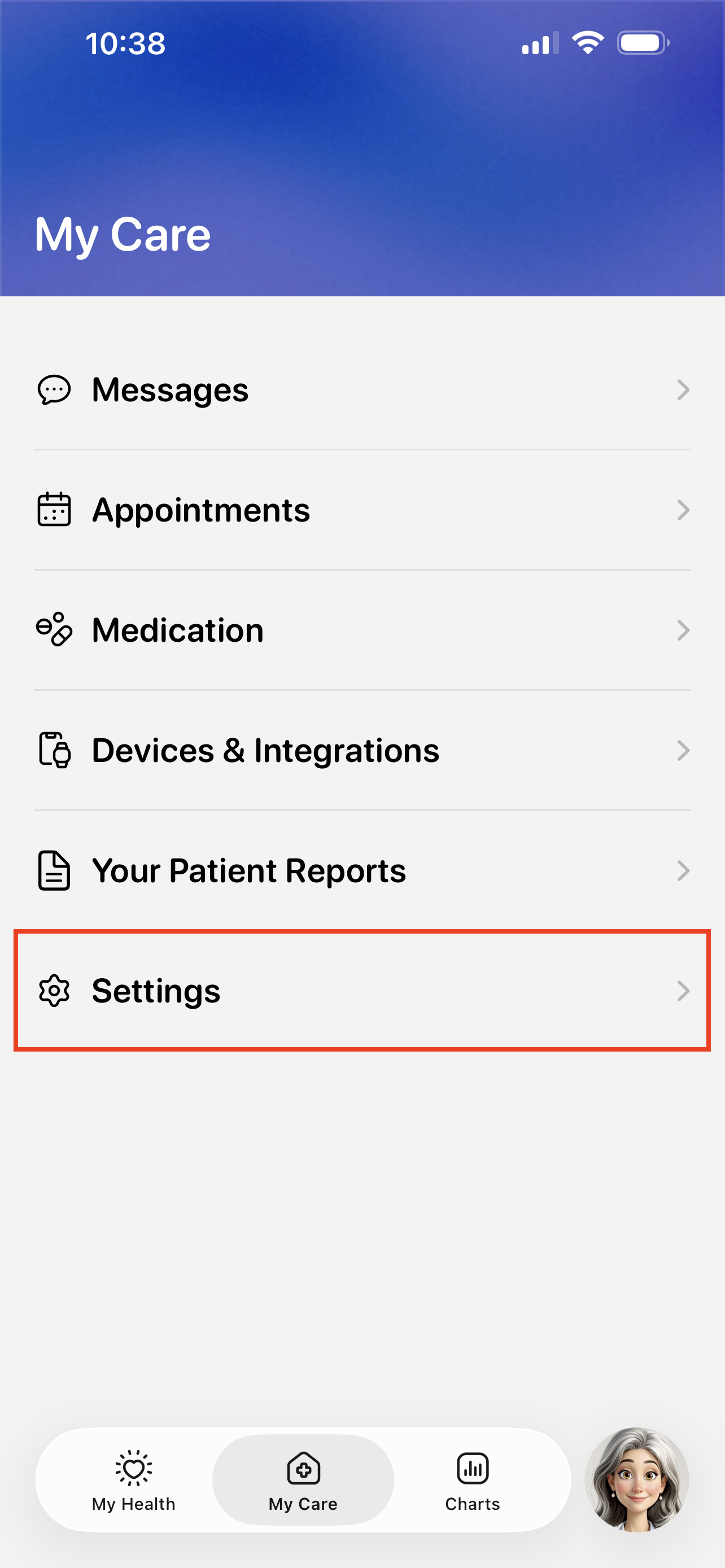
Visit the My Care > Settings.
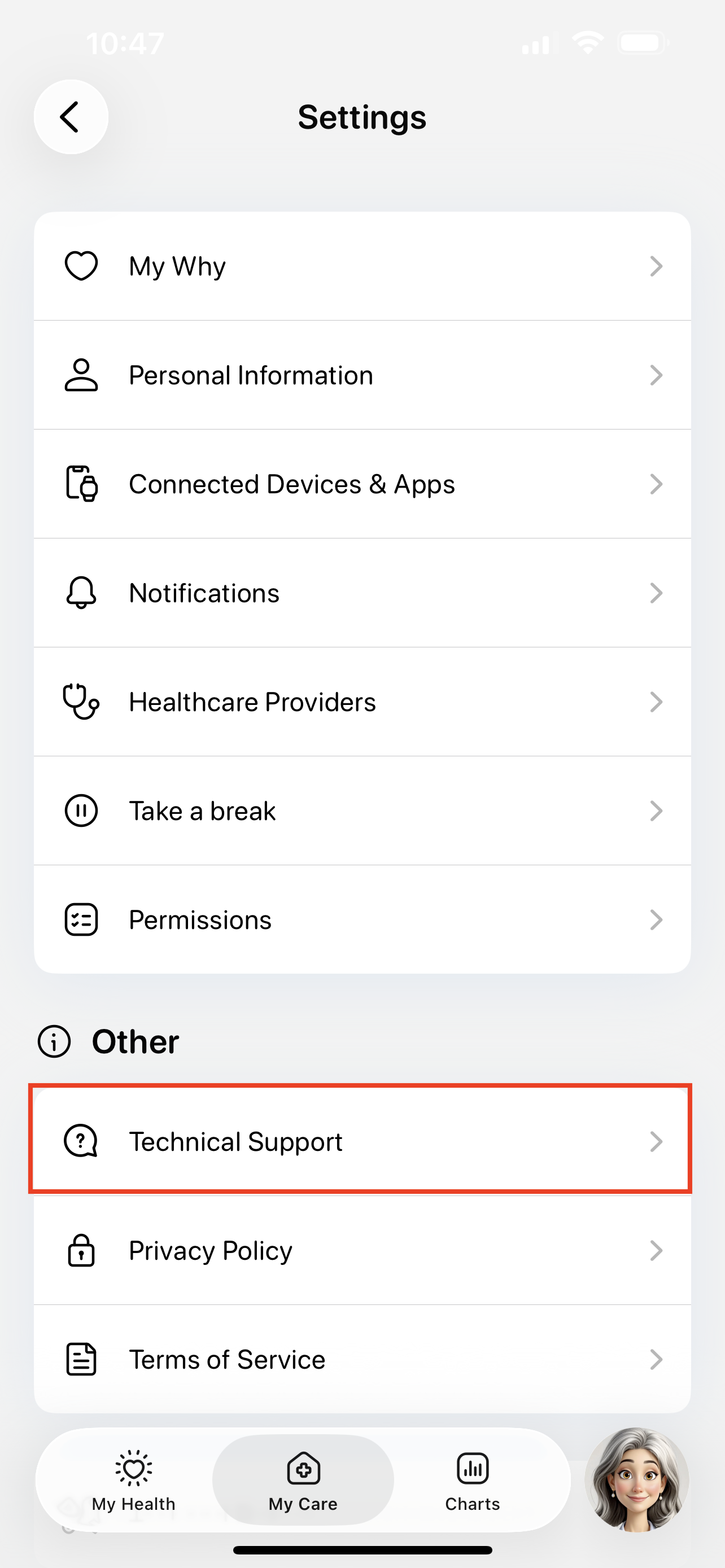
Tap the Technical Support button.
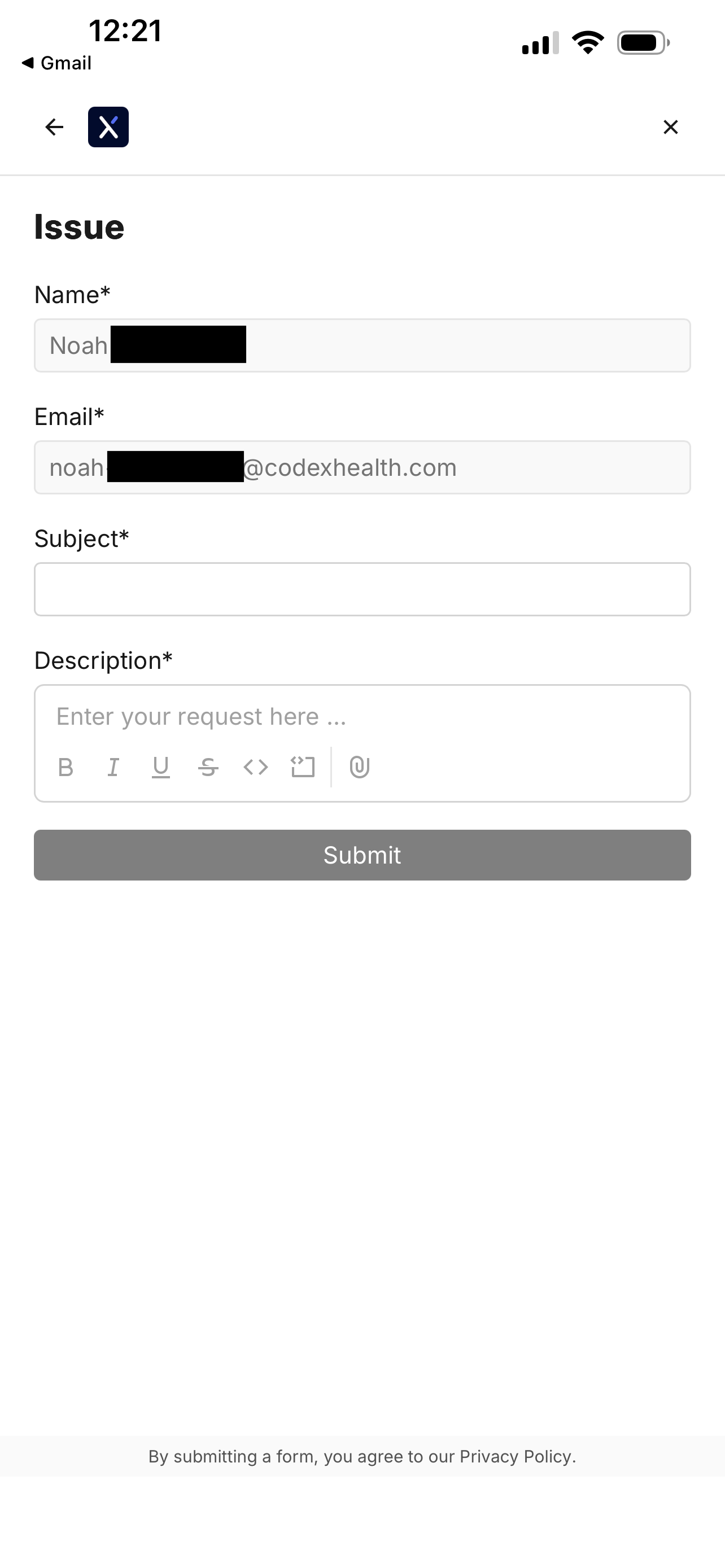
Tap the Issue button to start submitting a support ticket.
You can also use this page to search for existing guides, like how to troubleshoot device errors.

Fill out the support ticket and tap Submit.
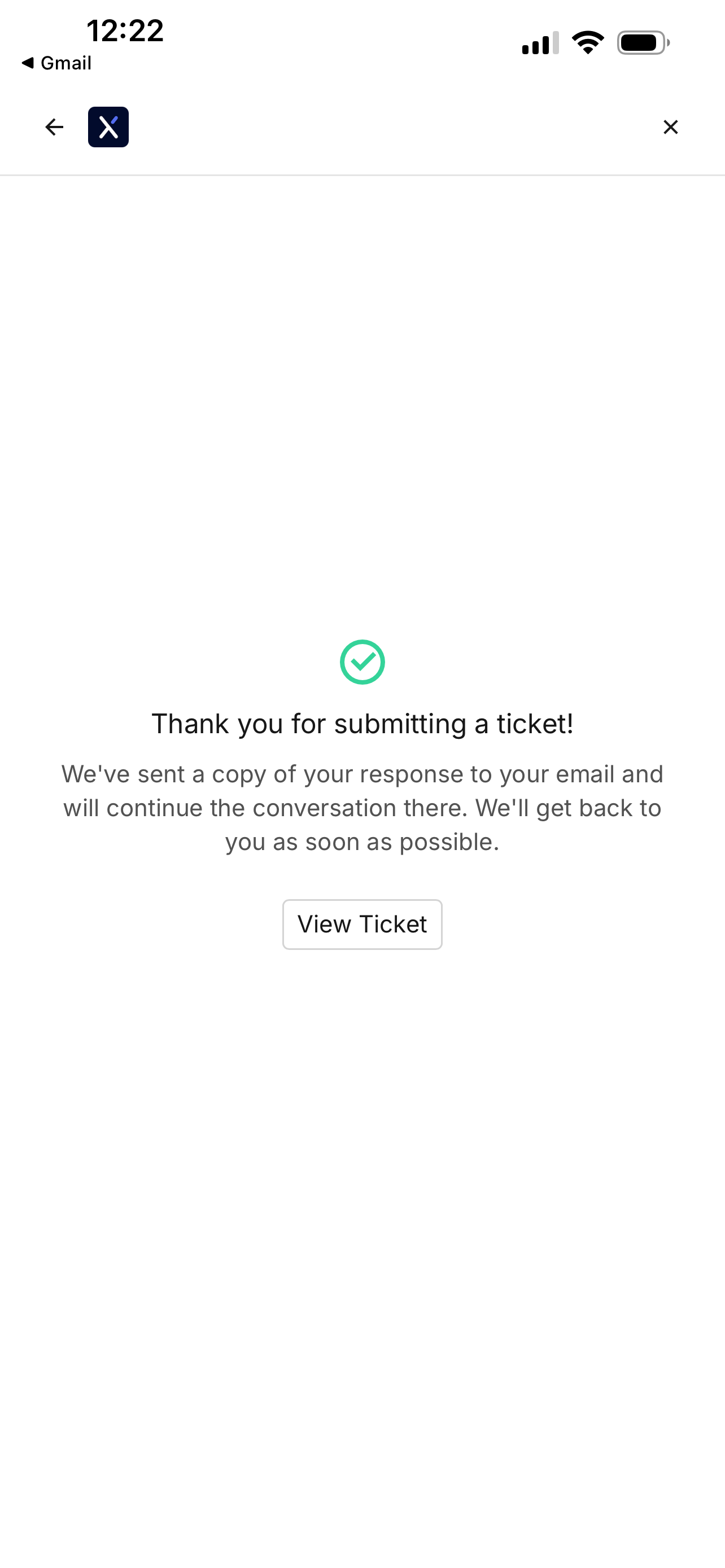
You will see a confirmation screen when your ticket is filed.
Revisiting the file ticket page will show your previous support tickets.

Tapping on a ticket will show any updates.